Sitewalk / Guides / Links / Broken external links
Broken external links: find, fix and recheck them
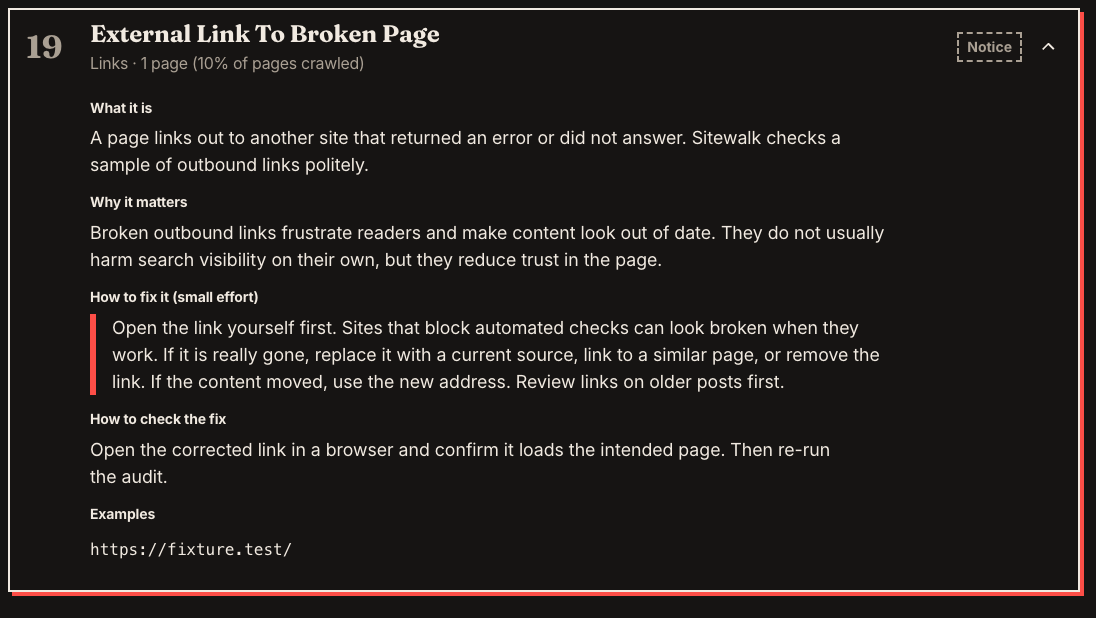
A page of yours links to another website, and that link returned an error or did not answer. Sitewalk checks a sample of your outbound links, politely, and flags the ones that fail.
Most of these are easy to fix once you can see them. The hard part is telling a link that is really dead from one that only looks dead to a tool. This guide shows you how to tell, what to do with each case, and how to check a whole page yourself.
What counts as a broken external link
An external link is a link from your page to a different domain. It is broken when the other site answers with an error, sends the visitor somewhere unrelated, or does not answer at all.
This is different from a broken internal link, where your page points to another page on your own site. Internal ones are your own mistake and usually come first. If a page of yours has no links pointing to it at all, see our guide on orphan pages. External ones break without any change on your side, because the other site moved or closed.
That is why old posts collect them. A guide you wrote three years ago may link to ten pages, and a few of those have gone.
Why it matters
A reader who clicks a link and lands on an error page has hit a dead end. They came for a source or a next step and got neither. It also tells them the page has not been looked after.
We did not find a Google statement saying that broken outbound links lower rankings, so this guide makes no ranking claim. The reason to fix them is the reader.
Read the status code first
Text version
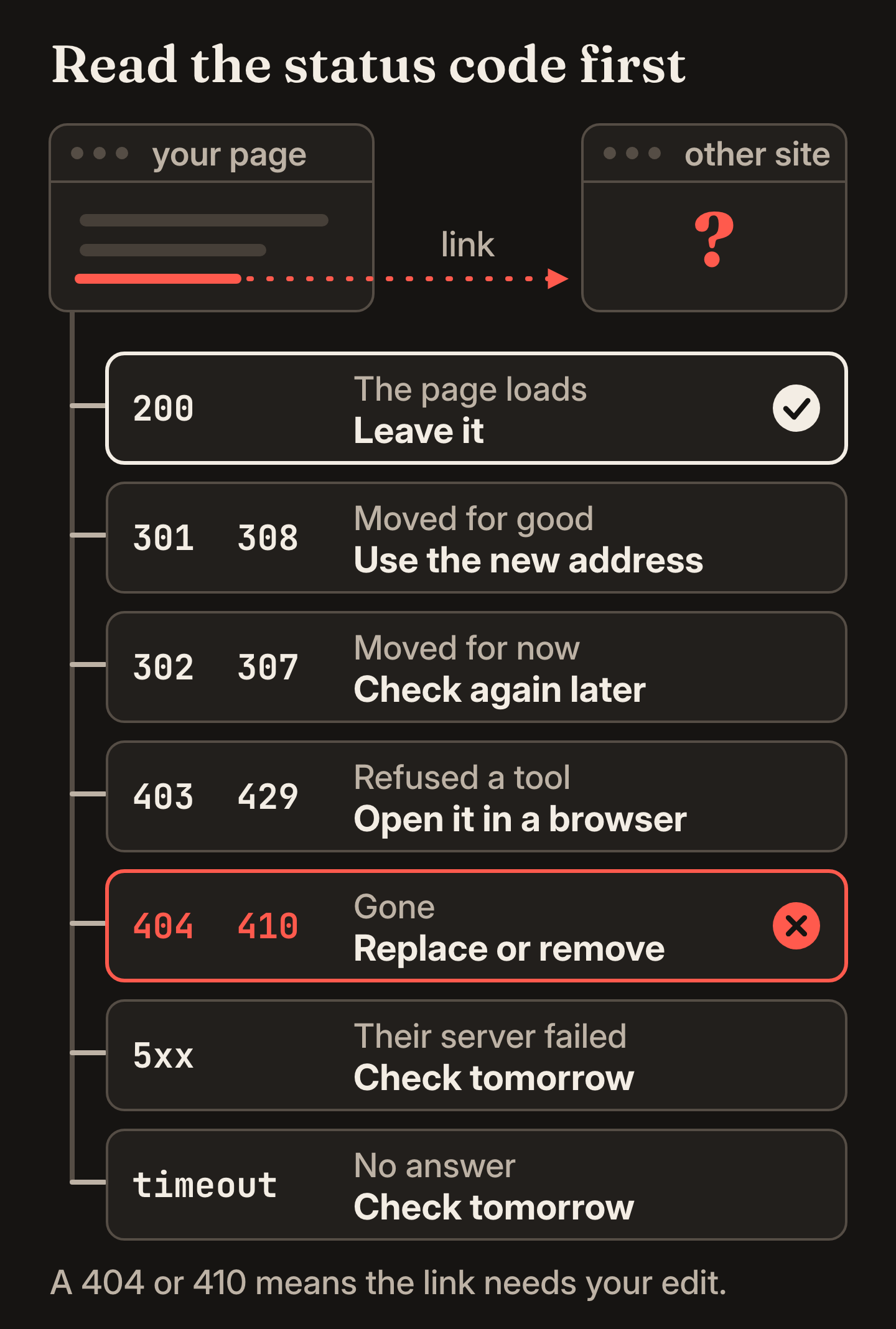
What to do by status code. 200: leave it. 301 or 308: use the new address. 302 or 307: check again later. 403 or 429: open it in a browser. 404 or 410: replace or remove. 5xx or timeout: check tomorrow.
Every link answers with a status code. The code tells you what to do. The table shows the common ones.
| Code | What it means | What to do |
|---|---|---|
| 200 | The page loaded | Nothing, unless the content changed |
| 301 or 308 | The page moved permanently | Update your link to the new address |
| 302 or 307 | A temporary move | Leave it, check again later |
| 403 | The server refused the request | Open it in a browser before you change anything |
| 404 | Not found | Replace or remove the link |
| 410 | Gone on purpose | Replace or remove the link |
| 429 | Too many requests | Wait, then check by hand |
| 5xx | The other server has a problem | Check again tomorrow |
| Timeout | No answer | Check again tomorrow |
MDN describes a 404 as a response where the server cannot find the requested resource, and notes that links leading to a 404 page are often called broken or dead links. For 410, MDN says the resource is no longer available and the condition is likely permanent, and that website owners should remove or replace links that return it. For 429, the server is telling you that you sent too many requests in a given time.
A 403 or 429 deserves extra care. Many sites refuse requests from tools while still working for people. A link can look broken to a checker and load fine in your browser.
How to check a link by hand
Open the link in a browser first. If the page loads and shows what you meant to link to, leave it alone.
If you want the status code, use curl. This prints only the code:
curl -s -o /dev/null -w '%{http_code}\n' -A 'Mozilla/5.0' https://example.com/
The -A part sends a browser-like name, which avoids some false 403 answers. We ran this against a live MDN page on 23 Nov 2026 and it returned 200.
To see where a moved link goes, add -I -L and read the Location lines.
How to check every external link on one page
This command lists every external link on a page and prints the status code for each. Replace the address with your own page and your own domain.
curl -s https://example.com/ | grep -Eo 'href="https?:[^"]+' | cut -d'"' -f2 | grep -v example.com | sort -u | while read -r u; do echo "$(curl -s -o /dev/null -m 15 -w '%{http_code}' -A 'Mozilla/5.0' "$u") $u"; done
We ran the same pattern on one of our own guide pages on 23 Nov 2026. It found 3 external links and all 3 returned 200.
Keep it to one page at a time and do not run it in a tight loop against a big site. It sends one request per link, and other sites may answer 429 if you go too fast.
Anything that is not 200 goes on your list. Open each one by hand before you change it.
What to do with each broken link
There are four choices. Pick by asking what the link was for.
- The page moved. Use the new address. A 301 or 308 tells you where.
- The page is gone, but another page covers the same thing. Link to that page instead. Read it first to confirm it says what your sentence claims.
- The page is gone and the information mattered. Check whether an archived copy exists, for example in the Internet Archive's Wayback Machine, and link to the archived copy. Say in your text that it is an archived version.
- The page is gone and the link was only decoration. Remove the link and keep the sentence, or rewrite the sentence.
Do not point every dead link at your home page. A reader who clicks for a source and lands on a home page is as lost as before.
Do not swap in a link just to make the checker go green. If your sentence says "according to the 2022 report" and the new page is a different report, fix the sentence too.
Where to start
You may have hundreds of flagged links across a large site. Go in this order:
- Pages that get the most visits. Check your analytics.
- Pages that you point to from your navigation or from other pages.
- Older posts, which collect the most dead links.
- Everything else.
Fix one page fully before you move to the next. A small win on ten popular pages beats a rushed pass over a hundred.
How to stop it happening again
Links break at a steady rate, so a one-time cleanup does not last.
- Add a recheck to your calendar every quarter for your top pages.
- When you write a new post, link to stable sources: official documentation, standards, and the home page of a project rather than a deep page that may move.
- If you merge two of your own pages, point the old one at the new one and set a canonical tag on the page you keep.
- Keep a short note of where a statistic came from, so you can rebuild the sentence if the source disappears.
- When you redirect or delete one of your own pages, remember that other sites link to it. Our guide on redirect chains and loops covers how to move pages without breaking the path for visitors.
Check it worked
- Open each corrected link and confirm it loads the page you meant.
- Read the sentence around it. Does it still say something true?
- Re-run the page check above and confirm that every link returns 200, or a redirect you chose to keep.
- Re-run the Sitewalk audit. Sitewalk checks a sample of links, so run it again after a few fixes to see the next group.
What Sitewalk found on real sites
59 of 119 audited sites (49.6%) had at least one flagged outbound link. That counts sites with at least one flagged link, not the share of all links. Sitewalk checks a sample, so a site can have more. This is a small early-user group, a first look and not a survey.
Questions people ask
What is a broken external link?
It is a link from your page to another website that returns an error or does not answer. The most common errors are 404 (not found) and 410 (gone).
Do broken outbound links hurt SEO?
We did not find a Google statement that says they lower rankings, so we make no ranking claim. They do send readers to a dead end, which is a good reason to fix them.
How do I check broken links on my site?
For one link, open it in a browser or run curl to read the status code. For a page, use the command in this guide. For a whole site, run an audit that crawls it and lists the failing links.
Why does a link show as broken but open fine in my browser?
Some sites refuse requests from tools and answer 403 or 429, while a person in a browser gets the page. Always open a flagged link by hand before you change it.
Should I remove a broken link or replace it?
Replace it when a current page covers the same thing, and read that page first. Link to an archived copy when the information matters and no current page exists. Remove it when the link was not needed.
How often should I check for broken links?
Once a quarter for your top pages is a sensible rhythm. Check older posts first, because they collect dead links fastest.
Check your whole site in one sentence
Audit example.com for technical SEO problems
Checked on 23 Nov 2026. Status code meanings are from MDN Web Docs pages for 404, 410 and 429, read on 23 Nov 2026. Sitewalk counts are from 119 audited sites, each site's latest audit.