Sitewalk / Guides / Titles and descriptions / Duplicate title tags
Duplicate title tags: how to find and fix them
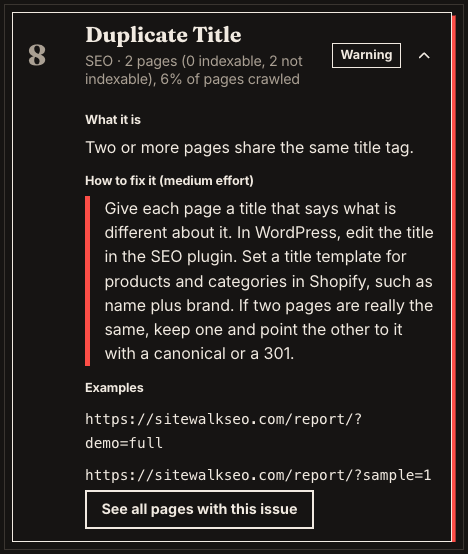
Duplicate title tags means two or more pages on your site carry the same <title> text. Give every page its own title that says what is on that page, and put your site name at the end.
This guide shows you how to find every duplicate with a short script, why they happen, and how to fix each cause.
What duplicate title tags are and why they matter
The <title> element is the line in the page head that browsers show on the tab and search engines read first. When 30 pages say "Cheap products for sale", nobody can tell them apart in a list of results.
Google's title guidance says the title link is often the main thing people use to decide which result to click. It asks for distinct text that describes each page. It gives two examples of what goes wrong.
- A shop that titles every page "Cheap products for sale", which makes it impossible to tell two pages apart.
- A TV site where the season pages all share one show name as the title, so nobody can tell which page is which season.
Google also says it can step in. For the TV example it can read the season number from the large title on the page and add it to the title link it shows. That is a repair done for you, and you cannot count on it. Your own title is the thing you control.
I read Google's title guidance and its snippet guidance in full today. Neither one mentions a penalty for duplicate titles. The cost is the one in the paragraph above: a result that does not say what it leads to, and a lower chance of the click.
Duplicates also make your own work harder. When you look at a list of pages in Search Console, an analytics report or a spreadsheet, identical titles make you open each page to know which is which.
How to check yours
Start with one page. This prints the title of the home page:
curl -s https://example.com/ | grep -io "<title>.*</title>"
One page tells you little, so check them all. This script reads your sitemap, fetches every page in it, and prints any title that appears more than once. Save it as dupe_titles.py and give it the address of your sitemap.
import re,sys,urllib.request,collections,html
sm=sys.argv[1]
def get(u): return urllib.request.urlopen(urllib.request.Request(u,headers={"User-Agent":"title-check"}),timeout=20).read().decode("utf-8","replace")
urls=re.findall(r"<loc>(.*?)</loc>",get(sm))
seen=collections.defaultdict(list)
for u in urls:
    m=re.search(r"<title[^>]*>(.*?)</title>",get(u),re.S|re.I)
    seen[html.unescape(m.group(1).strip()) if m else "(no title)"].append(u)
print(len(urls),"pages,",len(seen),"distinct titles")
for t,l in seen.items():
    if len(l)>1:
        print("DUPLICATE:",t)
        for u in l: print("   ",u)
Run it like this:
python3 dupe_titles.py https://example.com/sitemap.xml
We ran it two ways on 23 Nov 2026. On a local test folder with three pages titled "Cheap products for sale" and one titled "Blue mug", it printed this:
4 pages, 2 distinct titles
DUPLICATE: Cheap products for sale
    http://127.0.0.1:8791/a.html
    http://127.0.0.1:8791/b.html
    http://127.0.0.1:8791/c.html
On the sitewalkseo.com sitemap it printed 46 pages, 46 distinct titles, so no duplicates.
Two limits to know. The script reads one sitemap file, so a sitemap index needs you to run it on each child sitemap. It also sees the title in the raw HTML, which is what a crawler gets first. If your titles are set by JavaScript after the page loads, read our guide on pages that need JavaScript to show content.
If a page has two <title> elements, count them yourself:
curl -s https://example.com/ | grep -io "<title" | wc -l
You want 1. A theme and an SEO plugin that both print a title is a common cause of two.
Why duplicates happen
Almost every duplicate comes from one of these causes. Find which one you have before you start rewriting.
| Cause | What it looks like | Where to fix it |
|---|---|---|
| Fixed phrase in a template | Every product or post says the same thing | The title template in your theme, SEO plugin or CMS |
| Paginated pages | Page 2, 3 and 4 of a category share the title of page 1 | Add the page number to the title |
| Category, tag and archive pages | Several archives get the same default title | The archive title setting in your SEO plugin |
| Filter and sort addresses | ?color=red and ?sort=newest repeat the base title | Canonical tag to the main page, see below |
| Copied pages | A page was duplicated and the title never edited | Edit the title by hand |
| Theme and plugin both set a title | Two <title> tags in one page, or a plugin's title overriding yours | Turn one of them off |
| Home page used as the default | Empty titles fall back to the site tagline | Set a title for each page type |
How to fix it
Text version
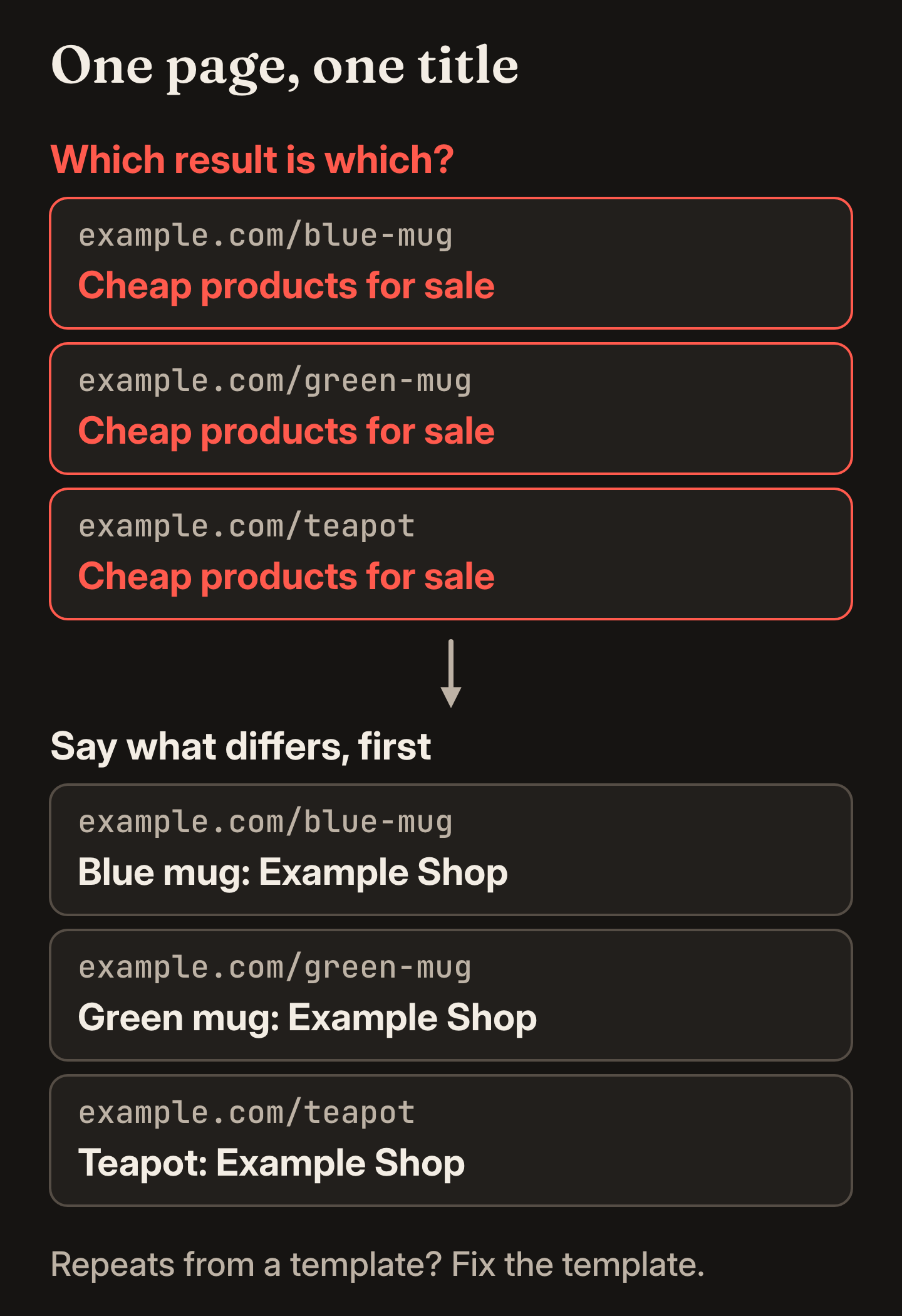
Three pages show the same title, Cheap products for sale, so the results cannot be told apart. Fixed titles say what differs first: Blue mug, Green mug and Teapot, each followed by Example Shop. If a template causes the repeat, fix the template.
Work from the cause, not from the list of pages. Fixing the template fixes hundreds of pages at once.
- Describe the page, not the site. Put the part that differs first: the product name, the post topic, the season, the city. Google says the main text of the title should describe the content of that page.
- Brand it briefly. Google suggests adding only your site name at the start or end, separated by a delimiter such as a colon or a pipe, instead of a long tagline on every page. A short brand at the end keeps the useful words at the front.
- Build titles from page data. For a shop or a blog, set the template so it fills in the product or post name. Here is the shape:
Before:  <title>Cheap products for sale</title>
After:   <title>Blue ceramic mug, 350 ml | Example Shop</title>

Before:  <title>Plumber in the city</title>
After:   <title>Emergency plumber in Leeds, 24 hour callout | Example Plumbing</title>
- Add the page number to paginated lists. "Mugs" on page 1 and "Mugs, page 2" on page 2 are two different titles.
- Set the archive titles. Most SEO plugins have a field for the category, tag, author and date archive title. Give each type a pattern that includes its own name.
- Remove the second title source. If you see two
<title>tags, check whether your theme and your SEO plugin both print one. Keep the plugin's, turn off the theme's. - Handle filter addresses with a canonical tag. A
?sort=newestaddress is the same page as the base address. Point its canonical tag at the base address instead of writing a new title for it. - Avoid keyword stuffing. Google says repeating the same words in a title does not help a reader and can look spammy. One clear phrase beats a list.
A short title on its own is a different problem from a duplicate one. Our guide on title and meta description length covers that.
Patterns that work by page type
A table to copy from. Replace the examples with your own words.
| Page type | Pattern | Example |
|---|---|---|
| Home | What you do, for whom, brand | Bookkeeping for freelancers: Example Books |
| Product | Product name, key detail, brand | Blue ceramic mug, 350 ml: Example Shop |
| Blog post | The post title as it reads, brand | How to read a P&L statement: Example Books |
| Category | Category name, what it holds, brand | Mugs and cups, 40 designs: Example Shop |
| Category page 2 | Category name, page number, brand | Mugs and cups, page 2: Example Shop |
| Location page | Service, place, brand | Emergency plumber in Leeds: Example Plumbing |
Look at the last column. Each one would still make sense if it were the only line a visitor saw.
Common mistakes
Rewriting titles one by one when the template is wrong. If 400 product pages share a title, the template is the bug. Fix it once.
Making titles different by adding a number. "Mug 1", "Mug 2" and "Mug 3" are technically distinct and tell the reader nothing. Use the thing that really differs.
Leaving the old year in the title. Google lists "obsolete" titles as a common issue, where the title says 2020 but the visible heading says 2021. Google may pick the date from the heading instead. Keep the title and the heading in step.
Titles that disagree with the page heading. Google says it looks at the title element, the main visible heading and other prominent text. If the <h1> says one thing and the <title> says another, Google may show something different from both.
Fixing the title and leaving the same text in the meta description. The same problem shows up in the snippet line below the title. Our guide on title and meta description length has the check for descriptions.
Expecting an instant change. Google has to recrawl a page before it sees a new title. Its title guidance says that can take a few days to a few weeks.
Check it worked
- Run the script again on your sitemap. You want
DUPLICATEto print nothing. - View source on two pages that used to match and confirm the titles now differ.
- Check the pages you fixed in Search Console and ask Google to recrawl the important ones.
- Re-run the Sitewalk audit and compare the flag count with the one before.
What Sitewalk found on real sites
Counted on 23 Nov 2026, from the latest audit of each site.
Of 119 audited sites, 41 (34%) had at least one set of pages sharing the same title. That counts sites with at least one duplicate, not 34% of pages. This is a small early-user group, a first look and not a survey.
Questions people ask
Are duplicate title tags bad for SEO?
They make your results harder to tell apart, and they give a searcher less reason to click yours. Google's title guidance says to use distinct text that describes each page. I found no mention of a penalty in the guidance I read.
How do I find duplicate title tags on my site?
Run the script above on your sitemap, or run an audit. A crawler or Sitewalk will list them too. The script is for when you want a quick answer with nothing to install.
Can two pages have the same title if the content is different?
You can, but it is a missed chance. Different content deserves a title that says how it differs. If the content is also the same, the issue is duplicate content and a canonical tag is the answer.
Do I need to fix duplicate titles on tag and archive pages?
Check whether those pages should be in search at all. If they should, give them their own titles with a pattern. If they only list posts and add nothing, many sites set them to noindex instead.
What happens if Google does not like my title?
Google can show a different title link than the one you wrote. Its guidance lists the sources it uses, including the title element, the main visible title, headings and anchor text from links. Writing a clear title that matches the page heading is the best way to keep your own wording.
Should the brand name go at the start or the end of the title?
Google says either is fine. At the end is the usual choice, because the words that tell pages apart come first.
Check your whole site in one sentence
Audit example.com for technical SEO problems
Checked on 23 Nov 2026. Sources: Google Search Central, "Influencing your title links in Google Search" (developers.google.com/search/docs/appearance/title-link) and "Control your snippets in search results" (developers.google.com/search/docs/appearance/snippet), both read on 23 Nov 2026. The script was run on 23 Nov 2026 against a local test folder and the sitewalkseo.com sitemap. Sitewalk counts are from 119 audited sites.