Sitewalk / Guides / Titles and descriptions / Meta description length
Meta description length: what to aim for and how to fix it
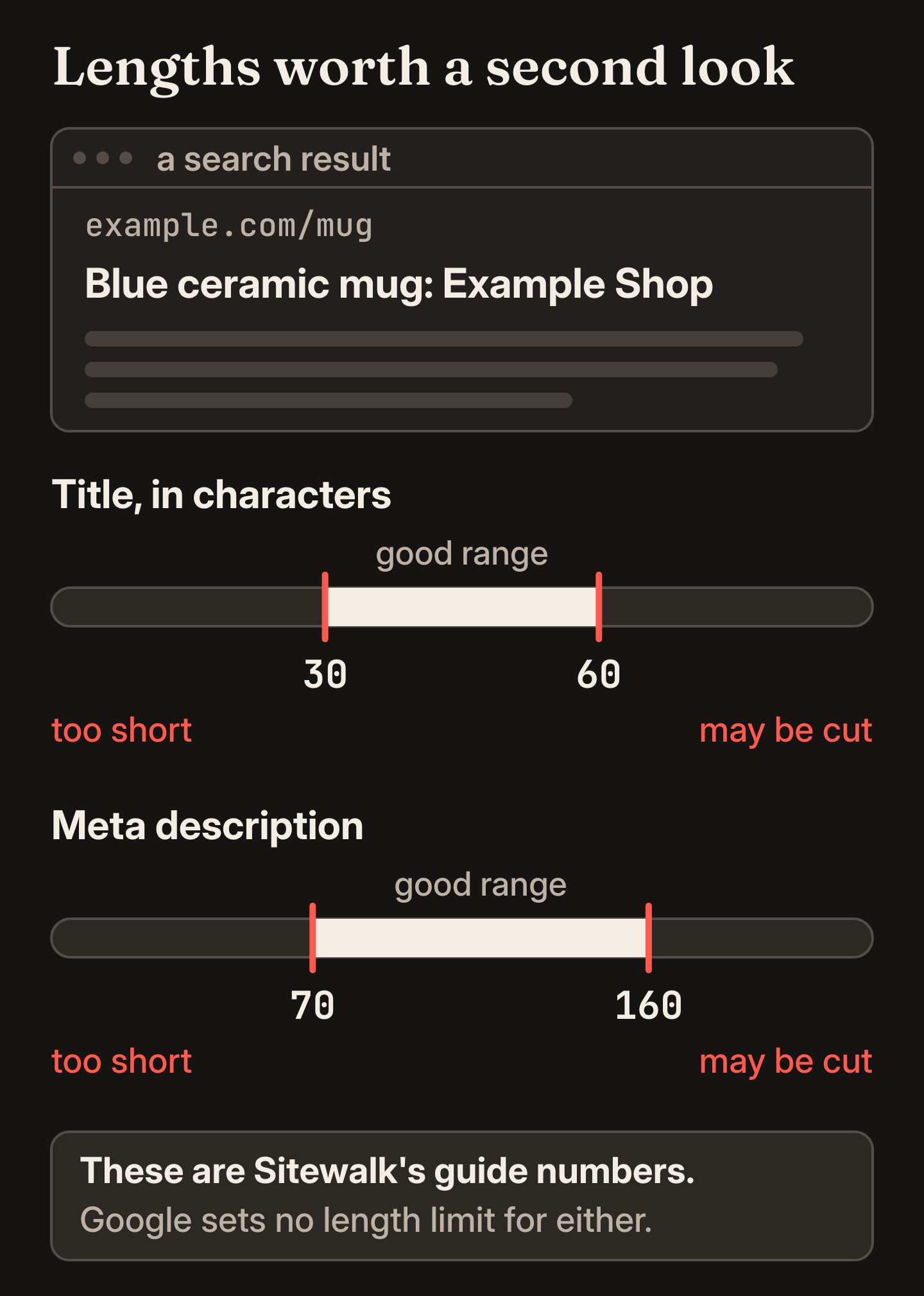
Aim for a title of about 30 to 60 characters and a meta description of about 70 to 160 characters. Those numbers are Sitewalk's guide, not a Google rule. Google says there is no limit on how long either one can be, and that it shortens them in results to fit the device width.
This guide shows you how to measure every page on your site, what to do for each of the five flags Sitewalk raises, and when to leave a flag alone.
What the length flags mean and why they matter
A page has two short pieces of text that show up in search results. The title is the blue link. The meta description is the line of grey text under it, when Google chooses to use it.
Sitewalk raises five flags about them.
| Flag | What Sitewalk checks | What it means for you |
|---|---|---|
| Title too short | Under about 30 characters | The title probably does not say enough about the page |
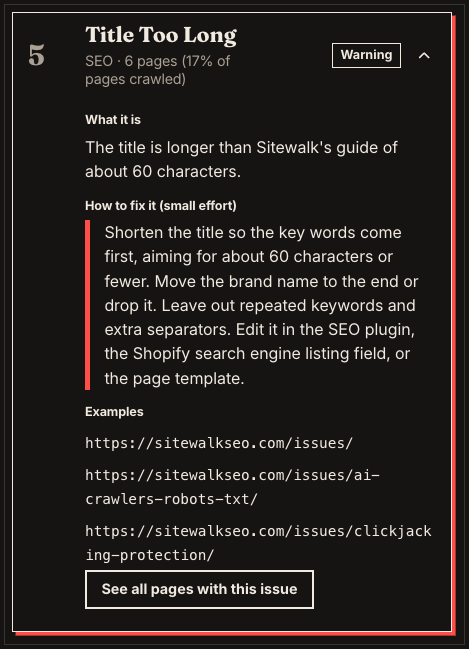
| Title too long | Over about 60 characters | The end may be cut off in results |
| Missing meta description | No description tag at all | Google writes the snippet from the page text |
| Meta description too short | Under about 70 characters | A thin line that wastes the space |
| Meta description too long | Over about 160 characters | The end may be cut off in results |
Here is what Google says, from the two pages I read in full today.
For titles, Google says there is no limit on how long a <title> element can be, but the title link is truncated in results as needed, typically to fit the device width. It asks for text that is descriptive and concise, and it names a one word title such as "Home" as the kind of vague descriptor to avoid.
For descriptions, Google says snippets are built mainly from the content of the page. It sometimes uses the meta description instead, when that describes the page better than the text does. It also says there is no limit on the length of a meta description, and that the snippet is truncated as needed, typically to fit the device width.
Two things follow from that. A character count is a rough guide to width, not a hard cut. And a missing or short description breaks nothing: you give up some control over the line a searcher reads, and Google fills the space from your page.
That is why the ranges here are a way to find pages worth a look. They are not a pass or fail test.
How to check yours
Start with one page. This prints the title and the description tag of the home page:
curl -s https://example.com/ | grep -iE "<title|name=.description"
Count the characters of each. Do this for a few page types, not only the home page: a blog post, a product, a category.
To check every page, save this script as lengths.py. It reads your sitemap, fetches every page, and prints the length of the title, the length of the description, and a flag when either is outside the ranges above.
import re,sys,urllib.request,html
def get(u): return urllib.request.urlopen(urllib.request.Request(u,headers={"User-Agent":"length-check"}),timeout=20).read().decode("utf-8","replace")
urls=re.findall(r"<loc>(.*?)</loc>",get(sys.argv[1]))
for u in urls:
    h=get(u)
    t=re.search(r"<title[^>]*>(.*?)</title>",h,re.S|re.I)
    d=re.search(r"<meta[^>]+name=[\"']description[\"'][^>]*content=[\"'](.*?)[\"']",h,re.S|re.I)
    t=html.unescape(t.group(1).strip()) if t else ""
    d=html.unescape(d.group(1).strip()) if d else ""
    flag=[]
    if len(t)<30 or len(t)>60: flag.append("title")
    if len(d)<70 or len(d)>160: flag.append("description")
    print(f"{len(t):>3} {len(d):>3} {'CHECK '+'+'.join(flag) if flag else 'ok':<18} {u}")
Run it:
python3 lengths.py https://example.com/sitemap.xml
The first number is the title length, the second is the description length. We ran it on 23 Nov 2026 on a local test folder with two pages. A page titled "Home" with a description of "Short" and a page with a good title but no description printed this:
  4   5 CHECK title+description http://127.0.0.1:8792/e.html
 44   0 CHECK description  http://127.0.0.1:8792/f.html
We also ran it on the sitewalkseo.com sitemap on 23 Nov 2026. It checked 46 pages and flagged 3. All three are guide category listing pages whose titles are 24 to 29 characters, so Sitewalk's own site has the short title flag on a few pages too.
Nobody has to fix a short category title in a hurry. Read the flag, look at the page, then decide.
One limit to know. The script reads the HTML the server sends. If your title or description is set by JavaScript after the page loads, it will show a blank. Our guide on pages that need JavaScript to show content covers that.
How to fix titles
Text version
Sitewalk's guide ranges: titles about 30 to 60 characters, meta descriptions about 70 to 160. Shorter may say too little and longer may be cut. Google sets no length limit for either.
- Too short. Add the thing the page is about. "Mugs" becomes "Mugs and cups: 40 designs from a Leeds pottery". Google calls a title like "Home" a vague descriptor, so a short title is rarely the best one.
- Too long. Move the words that matter to the front and cut the rest. Keep your brand at the end, where the cut happens first.
- Each page gets its own. Titles that repeat across pages are a separate problem. See our guide on duplicate titles.
- No keyword lists. Google says repeating the same words does not help a reader and can look spammy.
Examples with their lengths, counted by script:
| Title | Characters | Verdict |
|---|---|---|
| Mugs | 4 | Too short |
| Blue ceramic mug, 350 ml: Example Shop | 38 | Good |
| Mugs and cups: 40 designs from a Leeds pottery: Example Shop | 60 | Good, at the top of the range |
How to fix meta descriptions
Write one summary per page that says what the page offers and why to click. Google calls the description a pitch for the page. It also says that facts such as author, publish date or key product details are fine to include.
- Too short. Add the detail a searcher would want before clicking: what it covers, who it is for, one concrete fact.
- Too long. Put the most useful sentence first. If the end is cut, nothing important is lost.
- Missing. Write one for your home page and your most visited pages first. Google says that if you do not have time for all of them, prioritize the critical URLs.
- Large sites. If you have thousands of pages, Google says generating descriptions from page data is acceptable and encouraged, as long as they are readable and different from each other. Build them from facts on the page, such as name, size and place.
- Avoid keyword lists. Google says descriptions made of long strings of keywords are less likely to be shown as a snippet.
Examples:
| Description | Characters | Verdict |
|---|---|---|
| Mugs | 4 | Too short |
| Hand thrown blue ceramic mug, 350 ml, dishwasher safe. Made in small batches in Leeds. Free returns for 30 days. | 112 | Good |
| Buy mugs online. Mugs, cups, tea mugs, coffee mugs, large mugs, small mugs, mug sets, gift mugs, ceramic mugs, travel mugs, cheap mugs. | 135 | Right length, but a keyword list |
| Hand thrown ceramic mugs, 350 ml, dishwasher safe, made in small batches in Leeds. See all 40 designs, free returns for 30 days, and care tips for glazed ceramic. | 162 | Two characters over, the end may be cut |
The tag itself is one line in the head of the page:
<meta name="description" content="Hand thrown blue ceramic mug, 350 ml, dishwasher safe. Made in small batches in Leeds. Free returns for 30 days.">
Where you edit it depends on your platform. In WordPress and most other content systems, it is a field in your SEO plugin or in the page's search listing settings. On a hand coded site, it is that tag. We did not test the field names of specific platforms for this guide, so look for the "meta description" or "search listing" field in yours.
When to leave a flag alone
Not every flag needs a fix.
- Utility pages. A login, cart or thank you page can keep a short title if it is not meant to show in search. Our guide on thin content makes the same point about short pages.
- Pages you want to keep out of search. If a page is set to
noindex, its snippet is not shown, so the description does not matter. - Short but clear titles. "Contact Example Shop" is 20 characters and says everything. Fixing it for the sake of the tool would not help a visitor.
- A description Google rewrites anyway. Google decides per search whether to use your description or text from the page. If a page ranks for many different searches, its snippet may change from one to the next. Google says snippets are chosen to preview the part of the page that best relates to the search.
Common mistakes
Writing a description for Google's robot instead of the person. A pitch that reads as a list of keywords is less likely to be shown.
One description on every page. Google says identical descriptions on every page are not helpful when pages appear in results. Use a site level description on the home page and page level ones everywhere else.
Cutting the title to fit and losing the topic. Shorten by removing filler, not the thing that tells the page apart.
Expecting an instant change. Google has to recrawl a page before a new title or snippet appears. Its title guidance says that can take a few days to a few weeks.
Check it worked
- Run
lengths.pyagain. The list of CHECK lines should shrink, or only show pages you chose to leave. - View source on two fixed pages and read the title and description tags.
- Open the page and confirm the title still matches the visible main heading.
- Ask Google to recrawl your most important fixed pages, then look at the result in a couple of weeks.
- Re-run the Sitewalk audit and compare.
What Sitewalk found on real sites
Counted on 23 Nov 2026, from the latest audit of each site.
Share of 119 audited sites with at least one page flagged, each site's latest audit:
| Finding | Sites | Share |
|---|---|---|
| Meta description too short | 85 of 119 | 71.4% |
| Title too short | 84 of 119 | 70.6% |
| Title too long | 79 of 119 | 66.4% |
| Meta description too long | 69 of 119 | 58.0% |
| Missing meta description | 56 of 119 | 47.1% |
This counts sites with at least one flagged page, not that share of pages. It is a small early-user group, a first look and not a survey.
Questions people ask
How long should a meta description be?
Sitewalk flags descriptions under about 70 or over about 160 characters. Google says it has no limit and shortens snippets to fit the device width, so treat 70 to 160 as a range that usually fits, and put the useful part first.
What is the character limit for a title tag?
Google has no limit on the title element. It truncates the title link to fit the device width. About 60 characters is a safe aim, and Sitewalk flags titles over that.
Does a meta description help rankings?
Google's snippet guidance describes the description as something it may use to build the snippet. It does not describe it as a ranking input, and I did not find a claim either way on that page. Treat it as copy that earns the click.
What if I do not write a meta description?
Google will build a snippet from the text on the page. That is fine for many pages. For your home page and your best pages, write one so you control the line.
Why does Google show something different from my description?
Google says it builds snippets mainly from page content and uses the description when it seems more accurate. The snippet can differ per search. A description that summarizes the whole page is more likely to be used.
Check your whole site in one sentence
Audit example.com for technical SEO problems
Checked on 23 Nov 2026. Sources: Google Search Central, "Influencing your title links in Google Search" (developers.google.com/search/docs/appearance/title-link) and "Control your snippets in search results" (developers.google.com/search/docs/appearance/snippet), both read on 23 Nov 2026. The script was run on 23 Nov 2026 against a local test folder and the sitewalkseo.com sitemap. Sitewalk counts are from 119 audited sites, each site's latest audit.