Sitewalk / Guides / Page content / Thin content
Thin content: what it is and how to fix it
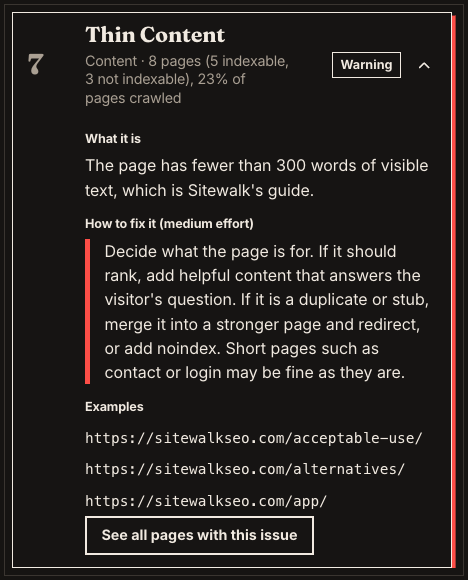
Sitewalk flags a page when it has fewer than 300 words of visible text. That number is Sitewalk's own guide. Google has no word count rule, and a short page can be exactly what a visitor needs.
Treat the flag as a prompt to look at the page. This guide shows you how to look, how to decide, and what to do for each kind of page.
What thin content means
People use "thin content" for two different things, and mixing them up leads to bad fixes.
The first meaning is Google's. In its spam policies, Google describes pages that add nothing: copied product descriptions on affiliate pages, scraped text, and large batches of pages made to catch searches with little value for the reader. Google calls these thin affiliation and scaled content abuse. If you run a normal site, you are almost certainly not doing either.
The second meaning is the everyday one. A page has very little text and does not answer the question a searcher came with. This is the case Sitewalk flags. It is a quality question for you to judge.
The table compares the two.
| Type | What it looks like | Who it affects |
|---|---|---|
| Spam policy violation | Copied or auto-generated pages with no added value | Sites that publish at scale to catch searches |
| Low-value page | A short page that does not answer the question | Most small business and blog sites |
| Short but complete | A 200 word page that fully answers one question | Nobody, leave it alone |
What Google says about word count
Google's guidance on helpful content asks: "Are you writing to a particular word count because you've heard or read that Google has a preferred word count?" Its answer is: "No, we don't."
That settles the first question people ask. You do not need 1,000 words per page, and you do not need to pad a page to pass a tool.
What matters is whether the page does its job. A page that gives a clear opening hours answer in 80 words is done. A 900 word page that repeats what three other pages on your site already say is not.
Which pages Sitewalk flags
Sitewalk counts the visible text a visitor can read. It leaves out menus, scripts and styles. These page types show up most often:
- Contact, login, thank you and cart pages. Short on purpose.
- Tag, category and date archive pages in WordPress, which list posts but add no text of their own.
- Old blog posts that were a few lines when you wrote them.
- Service or location pages with a heading, two sentences and a button.
- Product pages that reuse the supplier's one line description.
- Empty or near empty pages left from a redesign. Many of these are also orphan pages that nothing links to.
The first group is fine. The rest are where the work is.
How to check a page yourself
Open the page and copy the text a visitor reads, without the menu and footer. Paste it into any word counter.
If you prefer the command line, this counts visible words on one page. It strips scripts, styles, navigation, header and footer, so it lands close to what Sitewalk reports. Your number may differ by a few words.
curl -s https://example.com/ | python3 -c "import re,sys,html;t=sys.stdin.read();t=re.sub(r'(?s)<(script|style|nav|header|footer)[^>]*>.*?</\1>','',t);t=html.unescape(re.sub(r'<[^>]+>',' ',t));print(len(t.split()))"
We ran this on our own thin content guide page on 23 Nov 2026 and it printed 1878, which matches what we expected for that page.
Note that a script based page may show a low count here if the text is added by JavaScript after the page loads. If that is your case, check the page in a browser first, because a visitor sees the full text even when the command does not.
Decide what each page is for
Text version
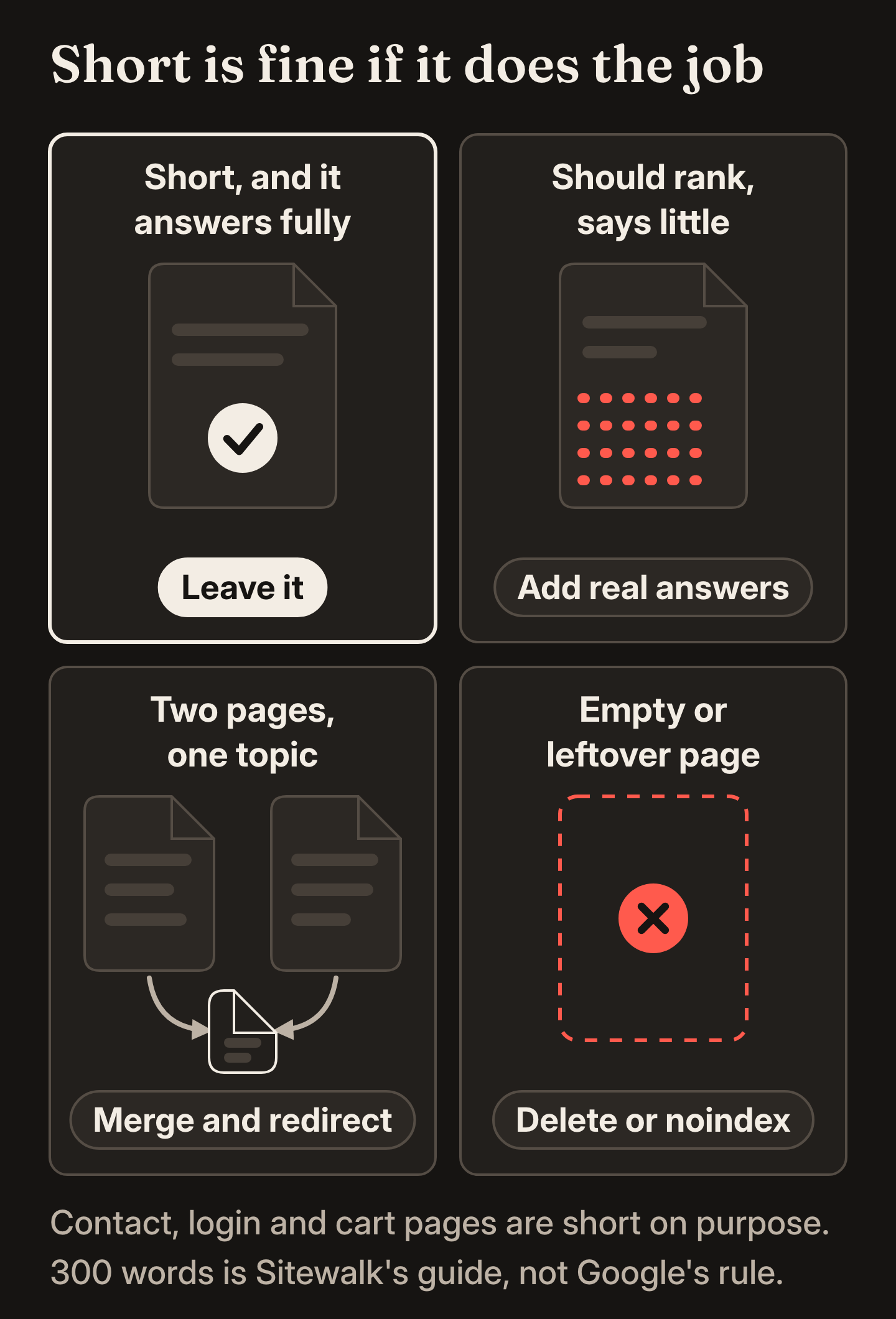
Four short page types. Short and complete: leave it. Should rank but says little: add real answers. Two pages on one topic: merge and redirect. Empty or leftover: delete or noindex. Contact, login and cart pages are short on purpose. The 300 word threshold is Sitewalk's guide, not Google's rule.
Ask one question first: should this page bring someone in from search?
If the answer is no, the page can stay short. Contact, login, cart and thank you pages exist to serve people who already know your site. Leave them. If you do not want them in search at all, a noindex tag is the clean way, but you do not have to.
If the answer is yes, the page needs to answer a real question. Go through this table.
| Situation | What to do |
|---|---|
| The page should rank and the topic is worth a page | Expand it with content that answers the question |
| Two or more pages cover the same thing | Merge them into the strongest one and redirect the others |
| The page is a stub, a leftover or an empty archive | Delete it, or add noindex while you decide |
| The page is short and complete | Leave it |
| The page is utility only (contact, login, cart) | Leave it, or noindex it |
How to expand a thin page properly
Add answers to the page. Extra words alone will not help.
Start from the searcher. Type the topic into Google and read the top three results. Write down the questions they answer that your page does not. Those are your gaps.
Then fill the gaps with specifics only you can give.
Take a plumber's page that says "We fix leaking pipes. Call us." That is 8 words and says nothing. A useful version names the areas you cover, gives a typical response time, lists what you check first on a leak, says what a first visit costs or how quotes work, and shows two or three real jobs. Every line there is something a visitor can act on.
Some ways to find real content for a page:
- Questions customers ask you on calls and in email. Answer them on the page.
- The steps of your actual process, in order.
- A short example, a photo or a screenshot from real work.
- Timings, fees or limits, when you can state them.
- A comparison with the nearest alternative, so the reader can choose.
Do not stretch a page with an intro that restates the title, a paragraph of generic advice, or a list of keywords. Readers leave, and the page is no stronger than before.
When to merge instead
Sometimes the honest answer is that you have five short pages on one topic. A "services" page, a "what we do" page and three pages for slightly different phrases of the same service.
Merge them into one page that is better than any of them was. Then send the old addresses to the new one with a permanent redirect (301 or 308). Google treats a permanent redirect as a strong signal that the target is the page to keep. If you cannot redirect, a canonical tag can point similar pages at the one you want shown.
After the merge, update your internal links to point at the new address. Do not leave visitors going through a redirect on every click. Our guide on redirect chains and loops shows how to check for that.
When to use noindex
noindex tells search engines not to show a page in results. Use it for pages that should exist for visitors but add nothing in search, such as thin tag archives, internal search result pages and thank you pages.
Two cautions. First, Google's documentation says noindex completely blocks a page from Search, so only use it when you mean that. Second, do not use it as a quick way to hide pages you plan to improve and forget. Put a date in your notes and come back.
In WordPress, most SEO plugins have a setting for tag and date archives. Check your plugin's settings page.
A word on soft 404s
Very thin pages can be mistaken for errors. Google says that when a page returns a normal success status but its content looks like an error or an empty page, Search Console reports it as a soft 404. If you see that report for a page you care about, the fix is the same: give the page real content, or remove it and return a proper 404 or 410 status.
Check it worked
Do these in order:
- Reload the page and count the words again.
- Read the page as a visitor who has never heard of you. Does it answer the question in the first screen?
- If you merged or removed pages, open each old address and confirm it redirects to the right place.
- Re-run the Sitewalk audit and confirm the flag is gone, or that the remaining flags are pages you chose to keep short.
Give Google time. A rewritten page can take days or weeks to be crawled again, and rankings do not move overnight.
What Sitewalk found on real sites
90 of 119 audited sites (75.6%) had at least one page flagged for thin content. That counts sites with at least one flagged page, not 76% of pages. Many of those are small sites with short utility pages, so read the flag as a prompt and not as a failure. This is a small early-user group, a first look and not a survey.
Questions people ask
What is thin content?
It is a page with too little useful content to answer what the searcher wanted. Google's spam policies also use the idea for copied, scraped or mass-produced pages that add no value. Sitewalk flags pages under 300 words of visible text so you can check them.
How many words does a page need to avoid being thin?
There is no number. Google says it has no preferred word count. A short page that fully answers one question is fine. A long page that repeats other pages on your site is not.
Does thin content cause a Google penalty?
A short page by itself does not trigger a penalty. Google's spam policies target pages made at scale with no added value, such as copied affiliate descriptions and scraped text. A normal site with a few short pages is a quality question, not a penalty.
Should I delete thin pages?
Only if they have no purpose and no traffic or links. If another page covers the same topic better, merge and redirect. If the page is useful to visitors but not to search, use noindex instead.
Should I noindex or expand a thin page?
Expand it if the topic deserves to rank and you can say something useful. Use noindex if the page serves visitors but should not appear in search, such as a thank you page.
How do I find thin pages on my whole site?
Run an audit. In ChatGPT, ask Sitewalk to audit your site and it lists the pages under 300 words of visible text, so you can review them one by one.
Check your whole site in one sentence
Audit example.com for technical SEO problems
Checked on 23 Nov 2026. Google quotes are from its helpful content guidance, spam policies, redirect guidance and HTTP status guidance, read on 23 Nov 2026. Sitewalk counts are from 119 audited sites, each site's latest audit.