Sitewalk / Guides / Images and page weight / Image alt text
Image alt text: how to find missing ones and write good ones
Alt text is the alt attribute inside an image tag. It is a short description that a screen reader reads aloud, that shows when the image fails to load, and that Google uses along with the page content to understand the picture.
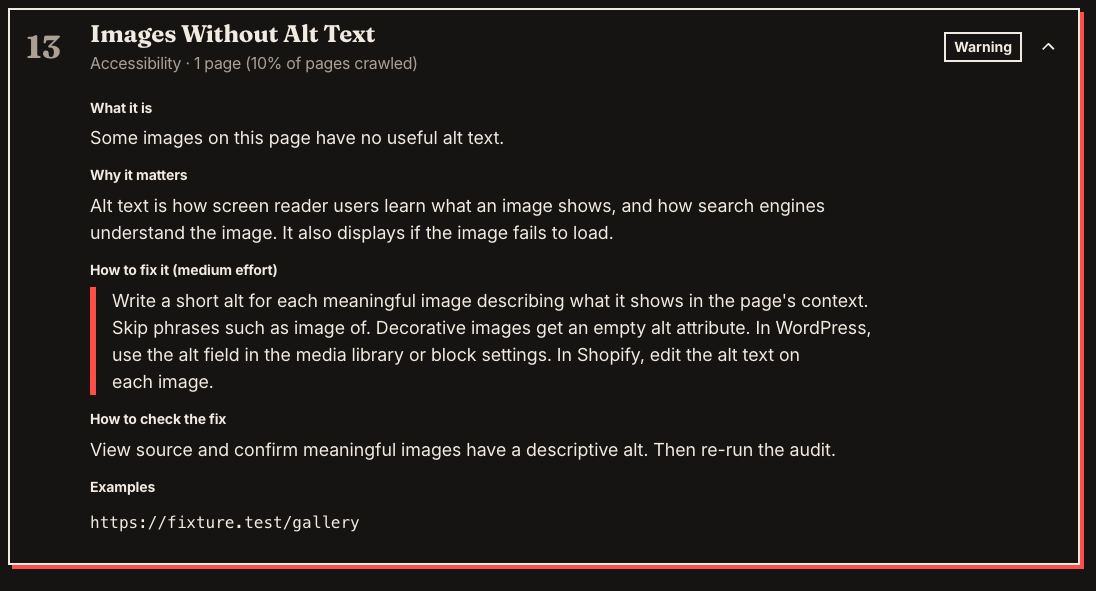
An image with no alt attribute at all is what Sitewalk flags. This guide shows you how to find those images on your own site, how to decide what each one needs, and how to write the text.
What alt text is and why it matters
Here is the tag in full:
<img src="dalmatian-fetch.jpg" alt="Dalmatian puppy playing fetch" width="800" height="600">
Three groups of people and tools depend on that alt value.
- Screen reader users. MDN says screen readers read the value out so people know what the image means. When the attribute is missing, MDN notes that some screen readers announce the file name instead, which is confusing when the name is something like
IMG00023.JPG. - Anyone whose image does not load. The alt text shows in its place on a slow connection, with a content blocker on, or when the file has moved.
- Google. Google's image guidance calls alt text the most important attribute for giving an image metadata. It says Google uses alt text together with computer vision and the content of the page to understand the subject of the image. If the image is a link, the alt text works as the anchor text of that link.
An image link with no alt text is a link with no label. A screen reader user hears nothing useful, and Google has no anchor text to read.
How to find images with no alt text
For one page, view the source and search for <img. Check each tag for alt=. That is fine for three images and slow past ten.
This short script checks any page for you. It uses only Python's standard library. It counts images, lists the ones with no alt attribute, and counts the ones with an empty alt, because those are a different case.
import sys, urllib.request
from html.parser import HTMLParser

class P(HTMLParser):
    def __init__(s):
        super().__init__(); s.missing = []; s.empty = 0; s.n = 0
    def handle_starttag(s, tag, attrs):
        if tag == "img":
            s.n += 1; d = dict(attrs)
            if "alt" not in d: s.missing.append(d.get("src", "?"))
            elif d["alt"] == "": s.empty += 1

p = P()
p.feed(urllib.request.urlopen(sys.argv[1]).read().decode("utf8", "replace"))
print(p.n, "images,", len(p.missing), "with no alt,", p.empty, "with empty alt")
for src in p.missing: print("  missing:", src)
Save it as check_alt.py and run python3 check_alt.py https://example.com/. We ran it on a test page with four images: one with no alt, one with alt="", one with real alt text and one linked image with no alt. It printed 4 images, 2 with no alt, 1 with empty alt and listed the two missing files, including the linked one.
We also ran it on sitewalkseo.com on 23 Nov 2026. The home page and this guide's live page both have 0 <img> tags, so there was nothing to flag. If your result says 0 images on a page you know has pictures, the images are probably added by JavaScript after load. See pages that need JavaScript to show content, because the same blind spot affects crawlers.
For a whole site you need a crawler, since the script reads one page at a time.
Decide what each image needs
Text version
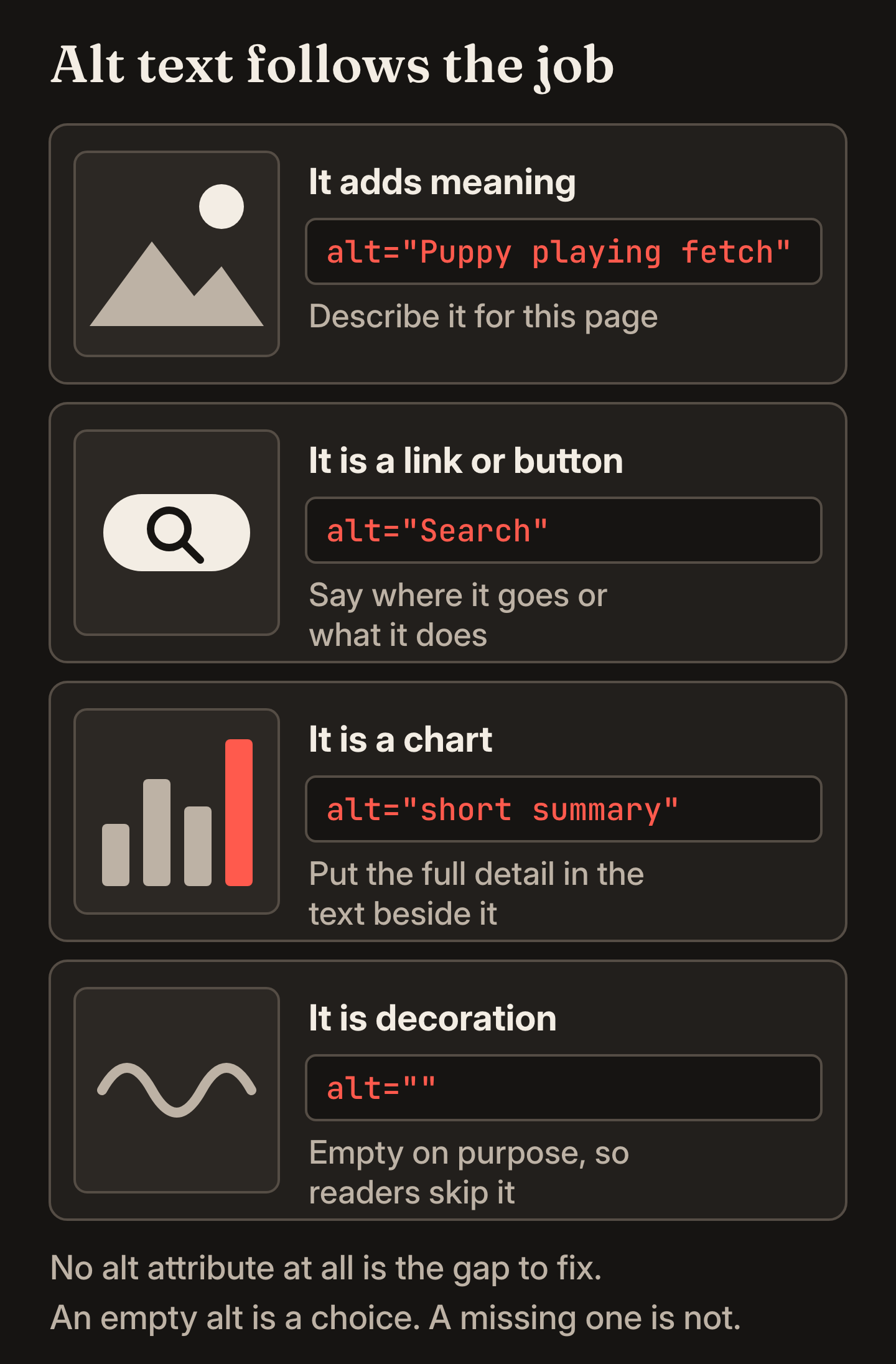
Alt text by image job. Meaningful photo: describe it. Link or button: say where it goes or what it does. Chart: short summary with full detail nearby. Decoration: an empty alt on purpose. A missing alt attribute is the gap to fix.
Most guides tell you to describe every image. That produces noisy pages. The W3C Web Accessibility Initiative publishes a decision tree for alt text, and its answers fall into a few groups.
| The image is | What the alt should be |
|---|---|
| A photo or simple graphic that adds meaning | A brief description that conveys that meaning in the context of the page |
| Inside a link or a button | The destination or the action, as you would write the text link |
| A chart or complex graphic | A short alt, with the full information given in the page text near it |
| Decoration, or a repeat of text right next to it | An empty alt="" |
| Text that has a function, such as an icon | The function of the image |
| Text that exists nowhere else on the page | The same text as in the image |
The W3C tutorial lists these empty cases: a border, an illustration inside a text link that repeats the link text, a picture already described by the paragraph beside it, and an image used for ambiance.
That empty value is a choice you make on purpose. MDN explains that alt="" marks an image as not a key part of the content, so non-visual browsers can skip it. A missing attribute says nothing and leaves the screen reader to guess.
How to write alt text that helps
Describe the image for this page. The same photo can need different alt text on different pages. A picture of a laptop on a pricing page and the same picture on a blog about remote work say different things.
Keep it plain and short. One clear sentence covers most images. Google gives no length limit in the page I read. Sitewalk has a separate check for alt text over 100 characters, so write for the reader and stop when the image is described.
Do not start with "image of" or "picture of". A screen reader already says it is an image. MDN says alt text should not describe the presence of the image or its file name. Its test is to read the alt text right after the sentence before the image. After "On my travels, I saw a cute little animal:", an alt that just says "image" makes no sense, while "A Penguin on a beach." does.
Skip stuffing. Google shows four versions of one puppy image. No alt is bad, and so is a long alt that repeats puppy, dog and pup terms, which may make a site look spammy. alt="puppy" is better, and alt="Dalmatian puppy playing fetch" is best.
Do not use the title attribute instead. MDN says title is not an acceptable replacement for alt, and that repeating the same text in both can make some screen readers say it twice. For a caption, use <figure> and <figcaption>.
Name the file too. Google says a short descriptive file name such as my-new-black-kitten.jpg gives light clues and is better than IMG00023.JPG, and to avoid names like image1.jpg.
Here are some before and after examples for a small business site. These are demo cases.
| Image | Weak alt | Better alt |
|---|---|---|
| Photo of a finished kitchen remodel | kitchen | White kitchen with a walnut island after a remodel |
| Logo in the header, linking to the home page | logo | Example Co home |
| Magnifier icon on a search button | icon | Search |
| Bar chart of monthly signups | chart | Signups doubled between March and June with the numbers in the text beside it |
| Divider line between sections | line | alt="" |
How to add alt text in common tools
Plain HTML. Write it in the tag, as shown at the top of this page.
WordPress. The media library has an Alt Text field for each image. In the block editor, select the image block and fill in the alt text field in its settings. Images inserted by a theme template or a page builder may have no field, so check the output with the script above.
Shopify. In the product editor, select the image, choose Edit Image and fill in the alt text field. Moz's guide describes these steps for WordPress, Shopify and Wix.
SVG inline. Google's example uses a <title> inside the SVG with aria-labelledby pointing to it:
<svg aria-labelledby="svgtitle1">
  <title id="svgtitle1">Googlebot wearing an apron and chef hat, struggling to make pancakes on the stovetop</title>
</svg>
Many images at once. Do your busiest pages first, then linked images, then the rest. For thousands of product photos you can build alt text from the product name and color, but read a sample first, because a template repeats its mistakes everywhere.
Common mistakes
- Adding
alt="image"or the file name to every image so the check passes. That removes the flag and helps nobody. - Describing a decorative image in detail, which makes a screen reader read noise.
- Leaving a linked image with no alt, or with the text
link. - Writing alt text that repeats the caption word for word.
- Stuffing the same keyword into every image on a page.
- Putting important text inside an image with no matching alt text or real text nearby. A page that is mostly images can also fall under thin content.
- Assuming the CMS handled it. Many themes add images without the attribute.
If you also use lazy loading, size attributes matter alongside alt text. See images without width and height for the other attribute people forget in the same tag.
Check it worked
- Run the script again and confirm
with no altis 0 on the pages you fixed. - For each image you gave an empty
alt, ask whether a visitor who cannot see it would lose anything. If yes, write text. - Read the alt text of three images in order, as a person would hear it. It should sound like part of the page.
- Test with Chrome DevTools. Google recommends auditing for accessibility and testing on a slow network connection.
- Run a new Sitewalk audit.
What Sitewalk found on real sites
Counted on 23 Nov 2026, from the latest audit of each site.
Of 119 audited sites, 19 (16%) had at least one page with images that have no alt text. That counts sites with at least one page, not images. This is a small early-user group, a first look and not a survey.
Questions people ask
What is alt text for images?
It is the value of the alt attribute in an <img> tag. It is a short text replacement for the picture that screen readers read aloud, browsers show when the image fails, and Google uses along with computer vision and the page content to understand the image.
Does alt text help SEO?
Google says alt text is the most important attribute for giving an image metadata, and that it uses it to understand the image. Google does not say that alt text boosts the ranking of a page for other terms. Write it for the reader and treat the search benefit as a bonus.
How long should alt text be?
Google gives no number in its image guidance. One short sentence works for most images. Sitewalk flags alt text over 100 characters as a separate check.
Should every image have alt text?
Every image should have the alt attribute. For images that add nothing, such as borders and decoration, set it to empty with alt="". For images that carry meaning or sit inside a link, write text.
What is the difference between a missing alt and an empty alt?
A missing alt means the attribute is not in the tag, and some screen readers announce the file name. An empty alt="" tells assistive tools the image is decoration and can be skipped. The first is a gap. The second is a decision.
Is the image title attribute the same as alt text?
No. MDN says title is not an acceptable replacement for alt. Use alt for the description and figcaption for a visible caption.
Check your whole site in one sentence
Sitewalk looks at every image on every page it crawls, along with 200+ other technical checks. In ChatGPT, say:
Audit example.com for technical SEO problems
Checked on 23 Nov 2026. Sources read on 23 Nov 2026: Google Search Central, "Google Image SEO best practices"; W3C WAI, "An alt Decision Tree" and "Decorative Images"; MDN Web Docs, "The Image Embed element"; Moz, "How To Write the Best Alternative Text". Sitewalk counts are from 119 audited sites, each site's latest audit: a small early-user group, a first look and not a survey.