Sitewalk / Guides / Security headers / HSTS header
HSTS header: check it and set max-age to one year
The HSTS header, Strict-Transport-Security, tells a browser to use https only for your site for a set number of seconds. If yours is missing, or the number is small, the protection is missing or runs out quickly.
This guide shows how to check yours in one command, how to roll it out in stages so you cannot lock yourself out, and when to add includeSubDomains and preload.
What HSTS does and why it matters
Most people type a domain with no scheme at all, and browsers fill in plain http for them. The Chromium project describes this as the gap HSTS closes. On that first plain http request, an attacker on the same network can step in before your redirect to https happens.
Once a browser has seen the header on an https response, it remembers your domain for max-age seconds. MDN says that during that time the browser switches any plain http address for your domain to https before sending anything, and it does not let the visitor click through certificate errors.
MDN gives a good example. A visitor uses airport Wi-Fi run by an attacker and opens a plain http address on a subdomain of your site. The browser already knows the domain is HSTS, so it uses https.
The attacker has no valid certificate, the browser shows an error, and the visitor cannot bypass it. The password stays with the visitor.
The hstspreload.org site lists three attacks HSTS helps with: browsing history leaks, protocol downgrades and cookie hijacking. All three need an attacker on the network path.
HSTS does not replace your redirect from http to https. MDN says a host that accepts http should answer with a permanent redirect, and that HSTS only starts once the browser has made one secure visit. See our guide on www and https versions for the redirect side.
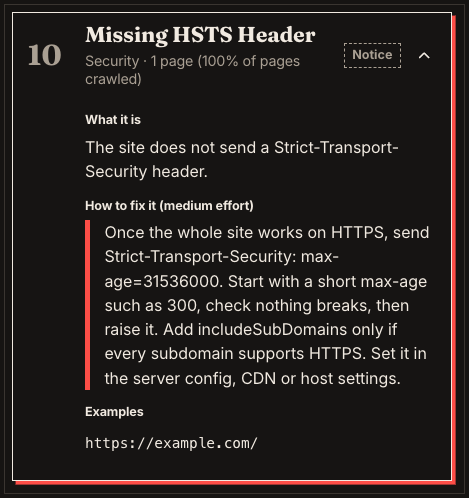
Sitewalk checks the response headers your home page sends. It flags two things: the header is missing, or max-age is under one year (31536000 seconds). We did not find a Google statement that says HSTS affects rankings, so we make no ranking claim.
How to check yours
Run this and read the line. Replace example.com with your domain.
curl -sI https://example.com/ | grep -i strict-transport-security
On 23 Nov 2026 we ran it against our own site and got:
strict-transport-security: max-age=31536000
Here is how to read what you see.
| What you see | What it means |
|---|---|
| No output | Header missing. Sitewalk flags it |
max-age=300 or any number under 31536000 | Header present but short. Sitewalk flags it as too short |
max-age=31536000 | One year. This is the target |
max-age=0 | HSTS is switched off for this domain |
includeSubDomains at the end | Applies to every subdomain too, so check they all work on https |
preload at the end | Asks to be on browser preload lists. Read the preload section first |
Then check the plain http address. It should answer with a 301 and a Location line pointing to https, and it should not carry the HSTS header.
curl -sI http://example.com/
Ours answered 301 Moved Permanently and pointed to the https home page on 23 Nov 2026, with no strict-transport-security line. MDN says browsers ignore the header over plain http, so it does nothing there.
Check www and any other subdomain you use as well. MDN says each subdomain host should send the header itself, because a browser may reach a subdomain before it ever sees the main domain.
Before you turn it on
HSTS removes the escape hatch. If your certificate expires or breaks while the header is live, visitors who have your domain remembered will see an error with no way to click past it. Check these first.
- Every page and asset on your domain loads over https.
- Your certificate is valid and renews automatically.
- Every plain http address redirects to https with a
301. - If you plan to use
includeSubDomains, every subdomain works on https. hstspreload.org says this includes internal ones that are not public.
Roll it out in stages
Text version
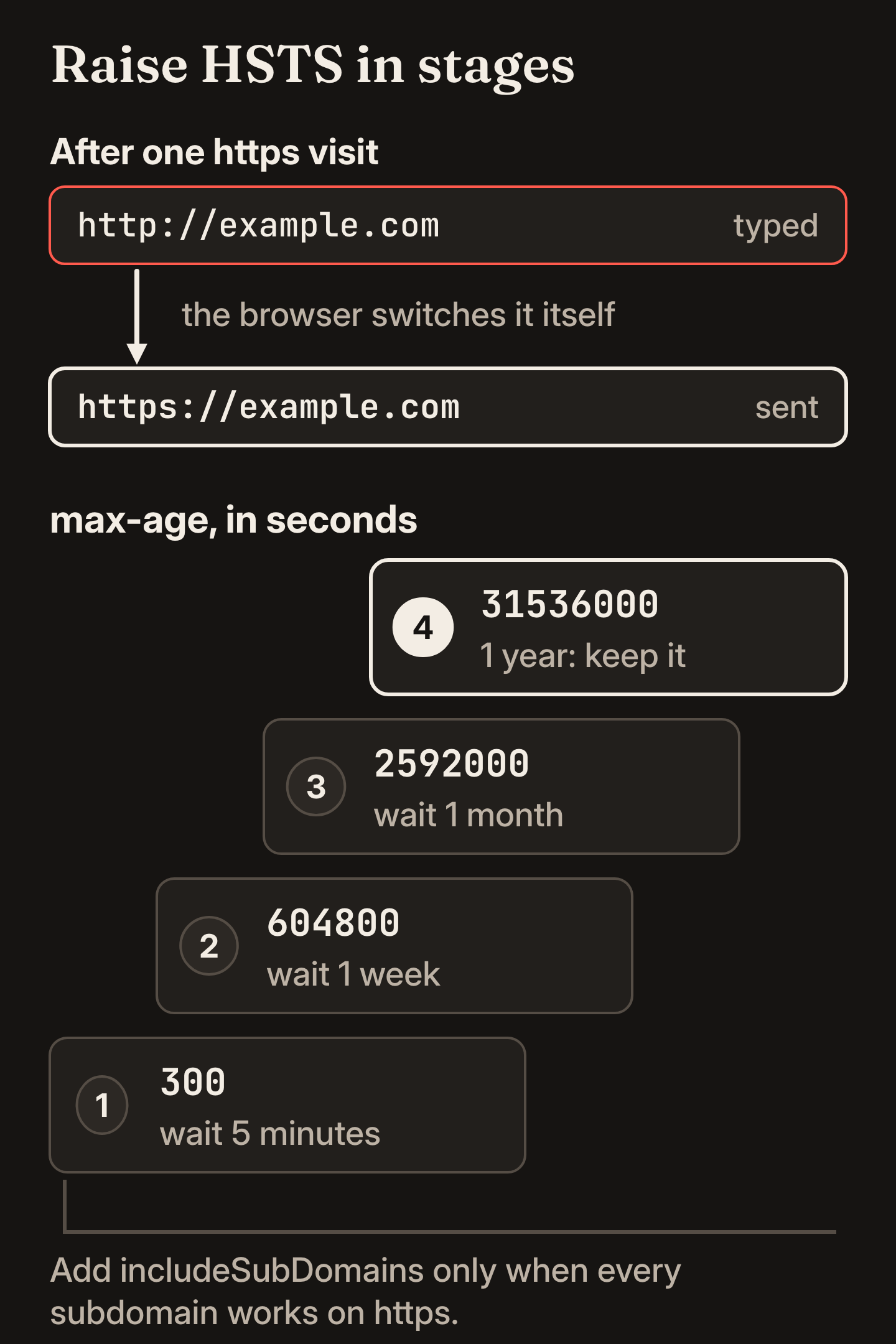
After one https visit the browser switches http addresses to https itself. Raise max-age in four stages: 300 seconds, 604800, 2592000, then 31536000 (one year), waiting between stages. Add includeSubDomains only when every subdomain works on https.
Do not start at one year. hstspreload.org recommends raising max-age in steps and waiting out the full time of each step before the next one. Its steps are:
| Stage | Header value | Wait |
|---|---|---|
| 1 | max-age=300 | 5 minutes |
| 2 | max-age=604800 | 1 week |
| 3 | max-age=2592000 | 1 month |
| 4 | max-age=31536000 | Final value, one year |
hstspreload.org lists stages 1 to 3 and writes them with includeSubDomains. Stage 4 is our step: after a month with no problems, move to the one year value that Sitewalk checks for. Leave includeSubDomains off until you have checked your subdomains.
During each stage, load your key pages, check your traffic and fix anything that breaks. If something does break at a short stage, the damage ends within minutes.
How to set the header
Send it on https responses only. Pick the place you control. Many hosts and CDNs have an HSTS switch in their security settings. If yours does, use it and then run the curl check.
Apache. This needs mod_headers. The condition at the end sends the header only on https requests.
Header always set Strict-Transport-Security "max-age=31536000" "expr=%{HTTPS} == 'on'"
We ran this on Apache 2.4.67 on 23 Nov 2026 with one http and one https test address. The https one returned Strict-Transport-Security: max-age=31536000. The http one returned no such header. Without the condition, Apache sent the header over plain http too in our test, which browsers ignore.
nginx. We did not test this one. Put it in the server block that listens for https, then reload.
add_header Strict-Transport-Security "max-age=31536000" always;
In nginx, a location block with its own add_header line ignores the add_header lines above it. Repeat the header there.
WordPress. Your host or a security plugin may offer a toggle. If neither does, set the header at the server level.
includeSubDomains
includeSubDomains makes the rule apply to every subdomain. MDN's example: a policy for secure.example.com with includeSubDomains also covers login.secure.example.com, but not example.com itself or insecure.example.com.
| Your situation | What to do |
|---|---|
| Only one hostname, no other subdomains | Leave it off |
| Several subdomains, all on https | Safe to add |
| An old subdomain still on http, such as a staging site or a mail panel | Fix it first, or leave this off |
Preload
Preload puts your domain in a list built into browsers, so even the very first visit uses https. MDN says the list is run by Google, used by all major browsers, and not part of the HSTS specification.
The requirements on hstspreload.org are a valid certificate, an http to https redirect on the same host, every subdomain on https, and a header on the base domain with max-age of at least 31536000, includeSubDomains and preload. If you serve an extra redirect from https, that redirect needs the header as well.
hstspreload.org also says it recommends HSTS and does not recommend preloading. It says many browsers, Chrome and Safari among them, now switch http navigations to https on their own, so the extra benefit of preloading is small. Removal can take months to reach users.
Our advice: set HSTS first and run it for a good while. Add preload only if you are sure every subdomain will stay on https for good.
Common mistakes
Jumping straight to a year. A mistake in your https setup then lasts a year in visitors' browsers. Use the stages.
Sending the header from http. Browsers ignore it there. It must come from an https response.
Adding includeSubDomains before checking subdomains. One forgotten http only subdomain stops working for visitors who have the rule.
Skipping www. If every link goes to www.example.com, browsers may never see the header from example.com. Both should send it.
Copying a preload line from a generator. A line that ends in preload signals a request to join the preload list. hstspreload.org asks tools not to add it by default for this reason.
How to switch it off
MDN says to send max-age=0 over https. It only takes effect when a browser makes a secure request and reads the response, so visitors who do not return keep the old rule until it runs out.
Check it worked
- Run the
curlcommand and confirm the value ismax-age=31536000for the final stage. - Run the plain http check and confirm the
301and no HSTS line. - Open your home page, a deep page and your
wwwaddress in a browser. Each should load on https with no warning. - Type your plain http address by hand. It should end up on https.
- Run the Sitewalk audit.
Related headers
HSTS pairs well with the other response headers. See the guides on the Content-Security-Policy header, X-Content-Type-Options and clickjacking protection. Add one at a time and test after each.
What Sitewalk found on real sites
Counted on 23 Nov 2026, from the latest audit of each site.
- Missing HSTS: 58 of 119 audited sites (48.7%).
- max-age under one year: 9 of 89 sites (10.1%), counted for audits since 4 Nov 2026.
Our own site sends max-age=31536000, checked on 23 Nov 2026. This is a small early-user group, a first look and not a survey.
Questions people ask
What is HSTS?
HSTS is an HTTP response header that tells browsers to reach your site only over https for a stated time. Once a browser has seen it on a secure visit, every later visit starts on https.
What max-age should I use for HSTS?
One year, 31536000 seconds, once you have tested. Start at 300 and move up in stages. A year is also the minimum MDN lists for preloading.
Does HSTS replace the 301 redirect from http to https?
No. HSTS only starts after a browser has made one secure visit. Keep the permanent redirect for everyone else.
Should I add includeSubDomains?
Only when every subdomain, including ones you rarely think about, works on https. The rule applies to all of them.
Should I submit my domain for HSTS preload?
Probably not at first. hstspreload.org recommends HSTS and does not recommend preloading, and removal from the list is slow.
Can HSTS lock visitors out of my site?
Yes, if your certificate breaks while visitors have your domain remembered. Browsers show an error with no way to continue. Keep the certificate renewing and use the staged rollout.
Check your whole site in one sentence
Sitewalk checks these headers along with 200+ other technical SEO checks. In ChatGPT, say:
Audit example.com for technical SEO problems
Checked on 23 Nov 2026. Header behavior is from the MDN Strict-Transport-Security reference, hstspreload.org and the Chromium HSTS page, all read on 23 Nov 2026. Sitewalk counts are from 119 audited sites, each site's latest audit (89 for the max-age check, added on 4 Nov 2026): a small early-user group, a first look and not a survey.