Sitewalk / Guides / Security headers / X-Frame-Options
X-Frame-Options: check your clickjacking protection
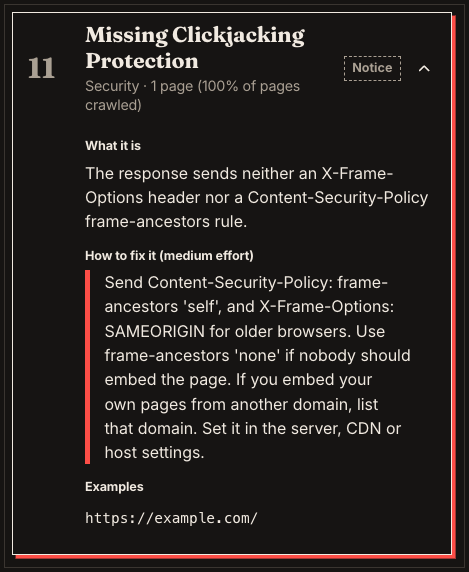
Clickjacking is when another site loads your page in a hidden frame and tricks a visitor into clicking something on it. Two response headers stop it: X-Frame-Options and the frame-ancestors directive of a Content-Security-Policy.
This guide shows how to check which of the two your site sends, how to fix a missing or invalid value, and how to keep a page embeddable when you need to.
What clickjacking is
MDN describes the attack like this. The attacker builds a decoy page that embeds your page inside an <iframe> and hides it, for example by setting its opacity to zero. They line up a harmless looking button over a button on your page that does something sensitive.
The visitor thinks they are clicking the decoy. They are really clicking your page. If they are logged in to your site, the request carries their real credentials and it succeeds.
The attack only works if your page can be put inside someone else's frame. So the defense is to say who may frame you. Login, account, settings and checkout pages are where it matters most, and a site-wide header is the easiest way to cover them all.
Sitewalk looks at the headers your home page sends. It raises two issues: no protection at all, and a header value that is invalid.
The two headers
X-Frame-Options | frame-ancestors | |
|---|---|---|
| Where | Its own response header | A directive inside Content-Security-Policy |
| Values | DENY, SAMEORIGIN | 'none', 'self', or a list of hosts and schemes |
| Allow one named partner | No | Yes |
| Status | Older, still honored | The replacement for X-Frame-Options |
MDN says frame-ancestors is a more flexible replacement for X-Frame-Options. It also says that when both are present, browsers that support frame-ancestors ignore X-Frame-Options. Sending both covers older browsers, which MDN calls a minor concern today because support for frame-ancestors is very good.
MDN's own checklist says to set both. That is what we recommend.
How to check yours
Run this and read the lines. Replace example.com with your domain.
curl -sI https://example.com/ | grep -iE "x-frame-options|content-security-policy"
On 23 Nov 2026 we ran it against our own site. It printed:
x-frame-options: SAMEORIGIN
content-security-policy: frame-ancestors 'self'; base-uri 'self'; object-src 'none'
Read your result against this table.
| What you see | The problem |
|---|---|
No x-frame-options line, and no frame-ancestors in a content-security-policy line | Missing clickjacking protection. MDN says that with no mechanism in place, the browser lets other sites embed the page |
x-frame-options: ALLOW-FROM ... and no frame-ancestors | Invalid value. MDN calls ALLOW-FROM obsolete: modern browsers ignore the header completely |
Any other x-frame-options value that is not DENY or SAMEORIGIN, and no frame-ancestors | Invalid value. The header is not doing its job |
frame-ancestors 'self' or 'none', or DENY or SAMEORIGIN | Protected |
If your site sits behind a CDN, check the address visitors use. The CDN may add, change or remove headers.
How to fix it
Text version
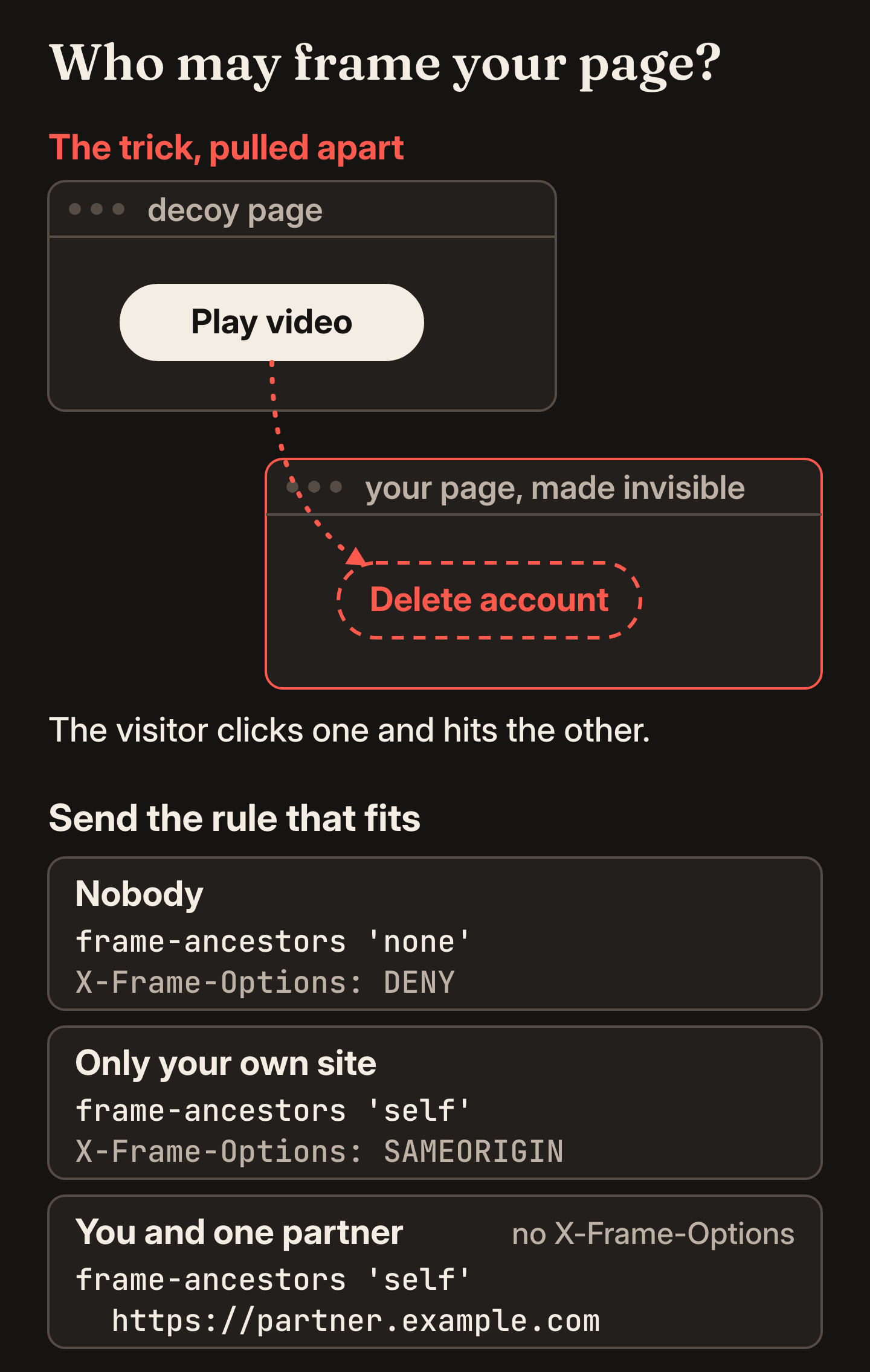
A visitor clicks a button on a decoy page but hits a hidden button on your page in an invisible frame. Rules: nobody, frame-ancestors none with X-Frame-Options DENY; own site, self with SAMEORIGIN; one partner, list it in frame-ancestors and leave X-Frame-Options off.
Pick the row that fits the page, then send both headers.
| Who may embed the page | Content-Security-Policy | X-Frame-Options |
|---|---|---|
| Nobody | frame-ancestors 'none' | DENY |
| Only your own pages | frame-ancestors 'self' | SAMEORIGIN |
| Your own pages and one partner | frame-ancestors 'self' https://partner.example.com | Leave it off |
For most sites, the middle row is the right one.
Apache. This needs mod_headers. We ran each line on Apache 2.4.67 on 23 Nov 2026 and read the headers back with curl.
Header always set Content-Security-Policy "frame-ancestors 'self'"
Header always set X-Frame-Options SAMEORIGIN
For a site where nobody should embed anything, use these two lines instead.
Header always set Content-Security-Policy "frame-ancestors 'none'"
Header always set X-Frame-Options DENY
nginx. We did not test this one. Put it in the server block and reload.
add_header Content-Security-Policy "frame-ancestors 'self'" always;
add_header X-Frame-Options SAMEORIGIN always;
In nginx, a location block that has its own add_header line ignores the add_header lines above it. Repeat the headers there.
Your host, a CDN or a security plugin. Many have a toggle for these headers. Use it if you have one, then run the curl check.
If your site already sends a Content-Security-Policy, add frame-ancestors to that policy instead of sending a second header. MDN says multiple policies can only restrict further, so a second header is easy to get wrong. Our guide on the Content-Security-Policy header covers the whole policy.
Allow one path to be embedded
Some pages are meant to be embedded, such as a booking widget or a video player you offer to partners. Protect the whole site, then loosen only that path.
This Apache block did what we expected in our test. The whole site sent SAMEORIGIN. The /embed/ path dropped X-Frame-Options and sent a frame-ancestors list with one partner.
Header always set Content-Security-Policy "frame-ancestors 'self'"
Header always set X-Frame-Options SAMEORIGIN
<Location "/embed/">
  Header always unset X-Frame-Options
  Header always set Content-Security-Policy "frame-ancestors 'self' https://partner.example.com"
</Location>
We dropped X-Frame-Options on that path on purpose. It cannot name a partner, so on its own it would block them in browsers that do not support frame-ancestors.
Add a cookie setting as a second layer
MDN lists one more defense. Set the SameSite attribute of your session cookies to Lax or Strict. A request made from inside a frame on another site then does not carry those cookies, so your server does not treat it as coming from a logged in visitor.
This helps if a header is missing by mistake. It is a partial measure and it does not replace the headers.
Common mistakes
Using ALLOW-FROM to name a partner. It was meant to do that, and MDN says modern browsers now ignore the header when they see it. Use frame-ancestors for partners.
Putting the header in a meta tag. MDN says X-Frame-Options set in a <meta> element has no effect, because it is only enforced as an HTTP header. The frame-ancestors directive is also not supported in a meta element.
Confusing frame-src with frame-ancestors. MDN spells out the difference. frame-ancestors says who may embed your page. frame-src says where frames inside your page may come from.
Expecting default-src to cover it. MDN says frame-ancestors does not fall back to default-src. A policy that sets default-src 'none' still lets anyone embed the page.
Forgetting nested frames. MDN says frame-ancestors checks each ancestor, and the load is cancelled if any one of them does not match. If your page sits in a frame inside another frame, every level has to be allowed.
Two layers, two different answers. If your server and your CDN both set these headers, you may get a result you did not plan. Run curl against the live address and read what arrives.
Check it worked
- Run the
curlcommand again and read both lines. They should match the row you chose. - Make a small test page on another origin, such as a local file served on your own computer, with an
<iframe>pointing at your page. A protected page should refuse to show in it. - Open any page you meant to keep embeddable in the same test and confirm it still loads.
- Log in on a test account and check that your own pages still work in your own frames, such as a preview pane.
- Run the Sitewalk audit.
Related headers
This pair works with the other security headers. See the guides on the HSTS header and on X-Content-Type-Options.
What Sitewalk found on real sites
Counted on 23 Nov 2026, from the latest audit of each site.
- Missing clickjacking protection: 70 of 119 audited sites (58.8%).
- Invalid header value: 0 of 84 sites, counted for audits since 7 Nov 2026.
Our own site sends both headers, checked on 23 Nov 2026. This is a small early-user group, a first look and not a survey.
Questions people ask
What is clickjacking?
It is an attack where a hidden frame of your page sits under a decoy, so a visitor clicks your page without knowing it. It works only if your page can be embedded in another site.
Should I use X-Frame-Options or frame-ancestors?
Send both. frame-ancestors is the replacement and does more. X-Frame-Options covers older browsers. Where both are present, browsers that know frame-ancestors use it and ignore the other.
Why does Sitewalk say my header value is invalid?
The most common cause is ALLOW-FROM. MDN calls it obsolete and says modern browsers ignore the header completely. Replace it with a frame-ancestors list.
Will this break my embeds or my preview panes?
It can. SAMEORIGIN and 'self' let your own pages frame each other. Anything on another domain needs to be named in frame-ancestors.
Can I set X-Frame-Options in a meta tag?
No. MDN says it has no effect there. Set it as an HTTP header in your server, CDN or host.
Does clickjacking protection help SEO?
We did not find a Google statement that says so, so we make no ranking claim. It protects your visitors and your logged in pages.
Check your whole site in one sentence
Sitewalk checks these headers along with 200+ other technical SEO checks. In ChatGPT, say:
Audit example.com for technical SEO problems
Checked on 23 Nov 2026. Header behavior is from the MDN Web Docs pages on clickjacking, the X-Frame-Options header and the frame-ancestors directive, all read on 23 Nov 2026. Sitewalk counts are from 119 audited sites, each site's latest audit (84 for the check added on 7 Nov 2026): a small early-user group, a first look and not a survey.