Sitewalk / Guides / Security headers / X-Content-Type-Options
X-Content-Type-Options: check it and add nosniff
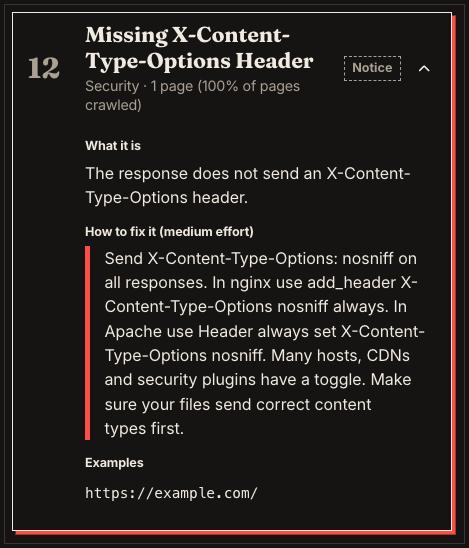
X-Content-Type-Options: nosniff is a response header. It tells the browser to trust the file type your server declares instead of guessing the type from the content.
It is one of the cheapest security headers to add: one line, no change to your pages. This guide explains what it does, shows how to check yours, and walks through adding it without breaking your styles or scripts.
What the header does
Every file your server sends comes with a Content-Type header. It says whether the file is HTML, a stylesheet, a script, an image or plain text.
Browsers do not always believe that label. When a label looks wrong, a browser may look inside the file and decide for itself what it is. This guessing is called MIME type sniffing.
Sniffing is helpful when a server is misconfigured. It is dangerous when the file came from a user. MDN explains that the nosniff value turns the guessing off, and describes two effects that depend on what is being loaded.
| What is loaded | What nosniff does |
|---|---|
| A script or a stylesheet | The browser blocks the file if its type is wrong: not a JavaScript type for a script, not text/css for a stylesheet |
| Anything else, including a page | The browser uses the declared Content-Type as it is, without looking inside the file |
The second row is the security part. MDN gives this example: if a server sends a response with Content-Type: text/plain and X-Content-Type-Options: nosniff, the browser will not treat it as HTML, even if the content contains HTML markup. That stops cross-site scripting attacks where user-uploaded content gets executed as a web page.
A simple example of the risk
Text version
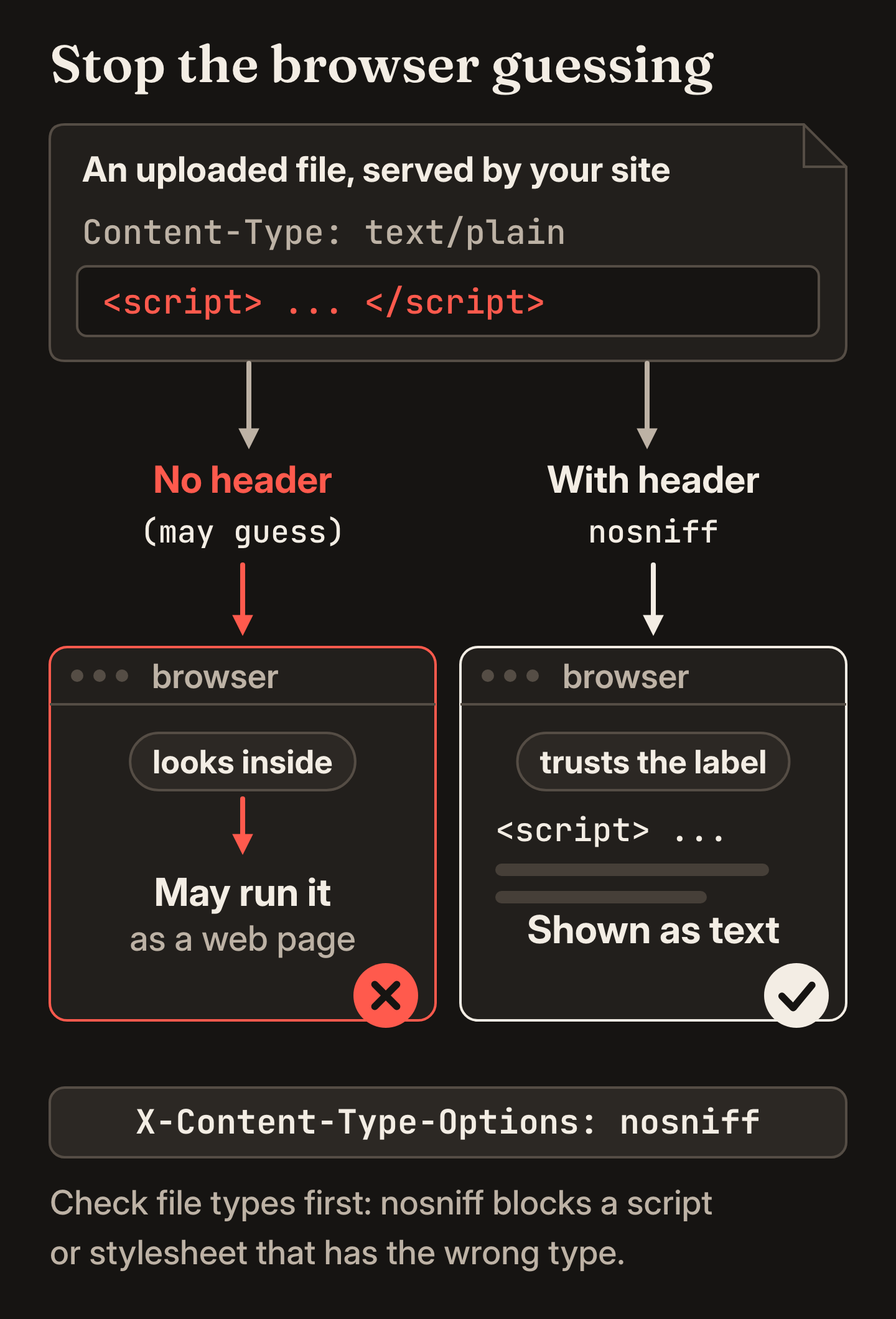
An uploaded file with a script inside is served as text/plain. Without the header a browser may look inside and run it as a web page. With X-Content-Type-Options: nosniff it is shown as text. Check file types first, because nosniff blocks scripts and stylesheets with the wrong type.
Say your site lets visitors upload files, such as a support attachment, a document or a text file.
An attacker uploads a file that looks like plain text but contains HTML and a script. Your server stores it and serves it back from your own domain, labeled text/plain. A browser that sniffs may look inside, decide it is a web page, and run the script as part of your site.
With nosniff, the browser accepts the label and shows the file as plain text. The script never runs. This is the case MDN describes, where user-uploaded content would otherwise be executed as an HTML document.
Your site may not accept uploads at all. Many plugins, forms and comment systems do, so it is worth the one line.
Why Sitewalk flags it
Sitewalk checks the response headers your pages send. When X-Content-Type-Options is missing, it flags the gap. The check is simple, and so is the fix. It is also a good first security header, because it has fewer side effects than stricter ones such as a content security policy.
Check whether your site sends it
Run this and look at the output. Replace example.com with your domain.
curl -I https://example.com/
Look for a line that says x-content-type-options: nosniff. Header names are not case sensitive.
If the line is missing, your site is not sending it. If your site sits behind a CDN, check the address visitors actually use, because the CDN may add or remove headers.
We ran this against our own site on 23 Nov 2026. The home page answered with x-content-type-options: nosniff.
You can check one more thing now. This looks at your stylesheet and tells you if it is labeled correctly. Use the full address of one of your own stylesheets.
curl -sI YOUR-STYLESHEET-URL
On our site, the stylesheet at /assets/style.css answered with content-type: text/css and x-content-type-options: nosniff on 23 Nov 2026. That is the combination you want.
Check before you turn it on
One thing can go wrong. Once nosniff is on, a browser refuses to load a stylesheet that is not labeled text/css, and refuses to run a script that is not labeled with a JavaScript type.
Most sites label these correctly. Some older setups serve a stylesheet as text/plain or leave the label out. Today the browser guesses and the page works. After nosniff, the page loads without its styling.
So check first. Run the stylesheet check above for your main CSS and JavaScript files and read the content-type line of each. You want text/css for stylesheets and a JavaScript type such as text/javascript or application/javascript for scripts.
If one is wrong, fix its label in your server settings before you add the header.
Not sure which files your pages load? Open one page in your browser, open the developer tools and go to the Network tab, then reload. Filter by CSS and then by JS. Each row is a file the page asked for, and the Headers panel on each row shows its content-type.
Check the files that load on your most important pages first: the home page, a blog post and any page with a form. Files from other sites, such as fonts or analytics scripts, are labeled by those sites, so you cannot change them. Your own files are the ones to check.
How to add it
Send X-Content-Type-Options: nosniff on all responses. Pick the place you control.
Apache. Add this line to your site configuration or .htaccess. It needs mod_headers.
Header always set X-Content-Type-Options nosniff
We tested this line on Apache 2.4 on 23 Nov 2026. A request to the test server came back with X-Content-Type-Options: nosniff.
nginx. Add this line inside your server block, then reload.
add_header X-Content-Type-Options nosniff always;
One nginx detail catches people out. If a location block has its own add_header line, it drops every add_header set above it. Repeat the header inside that block, or your pages in that location will lose it.
Your host, a CDN or a security plugin. Many have a toggle for security headers. If yours does, use it, then run the curl check to confirm the header actually appears.
WordPress. Check whether your host or your security plugin can add response headers. If neither can, add the header at the server level using one of the options above.
What nosniff does not do
The header controls how the browser reads a file. It does not stop anyone from uploading a bad file to your site, and it does not clean the file.
If your site accepts uploads, keep the usual care as well: accept only the file types you need, store them with the right Content-Type, and never serve an upload with a label that says it is a web page. Nosniff is one layer. It is a good one, because it still protects you on the day another layer fails.
Check it worked
- Run the
curl -Icommand again and confirm thex-content-type-options: nosniffline is there. - Load several pages in a browser, including your home page, a blog post and any page that uses extra scripts.
- Open the browser console. A blocked file shows an error that mentions the MIME type.
- If something looks broken, remove the header, fix the label of the file that failed, and add it again.
- Re-run the Sitewalk audit.
Where this fits with other headers
nosniff is one of a small group of response headers that harden your site against common attacks. Once it is in place, the next ones to look at are the HSTS header, which keeps visitors on https, clickjacking protection, which stops other sites from framing yours, and the content security policy, which controls what a page may load.
Do them one at a time and test after each. They affect different things, and a single change is easier to undo.
What Sitewalk found on real sites
65 of 119 audited sites (54.6%) did not send the header. Our own site sends it, checked on 23 Nov 2026. This is a small early-user group, a first look and not a survey.
Questions people ask
What does X-Content-Type-Options: nosniff do?
It tells the browser to trust the Content-Type your server sends. For scripts and stylesheets, the browser blocks a file with the wrong type. For other responses, it will not guess the type from the content.
Is X-Content-Type-Options the same as MIME sniffing protection?
Yes. The header turns off MIME type sniffing, which is the browser behavior of guessing a file's type from its content. MDN documents one value for it, nosniff.
Will adding nosniff break my site?
It can, in one case. If a stylesheet or script is served with the wrong Content-Type, the browser will refuse it. Check your file labels first with curl -I, and test pages after you turn it on.
Do I need this header if I have a CDN?
Check the final response that visitors receive. Some CDNs add the header, and some do not. Run curl -I on your live address to see.
Does X-Content-Type-Options help SEO?
We did not find a Google statement that says it affects rankings, so we make no ranking claim. It helps with security, and it is a cheap, low-risk change.
Where do I set it in nginx or Apache?
In nginx, use add_header X-Content-Type-Options nosniff always; in your server block. In Apache, use Header always set X-Content-Type-Options nosniff, with mod_headers on.
Check your whole site in one sentence
Sitewalk checks these headers along with 200+ other technical SEO checks. In ChatGPT, say:
Audit example.com for technical SEO problems
Checked on 23 Nov 2026. Header behavior is from MDN Web Docs, read on 23 Nov 2026. Sitewalk counts are from 119 audited sites, each site's latest audit: a small early-user group, a first look and not a survey.