Sitewalk / Guides / Redirects and status codes / www vs non-www, http vs https
www vs non-www, http vs https: pick one address
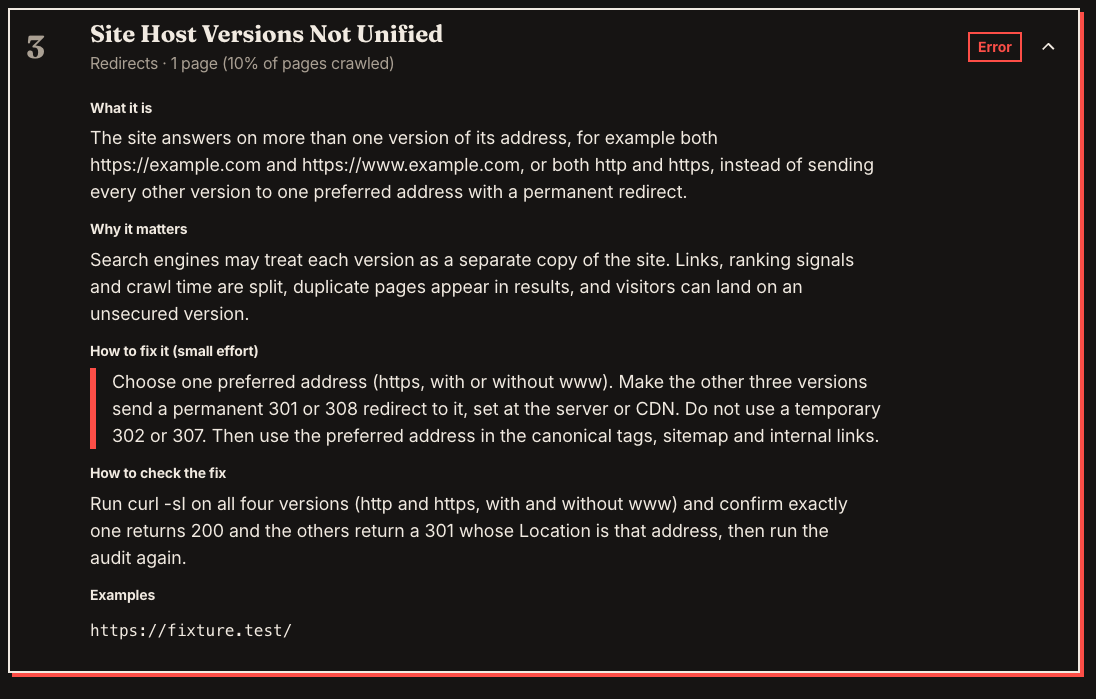
Every site can be reached four ways: http://example.com, https://example.com, http://www.example.com and https://www.example.com. Only one of them should show a page. The other three should send the visitor to it with a permanent redirect.
If more than one answers with a page, search engines may treat each as a separate copy of your site. This guide shows you how to check yours in about two minutes, how to choose, and how to fix it.
Why four addresses are a problem
To a person, all four addresses are the same site. To a search engine, a hostname is part of the address, so example.com and www.example.com are different addresses that happen to show the same page.
When several answer, three things can go wrong.
- Links from other sites split across the versions, so no single address collects them all.
- Search engines spend crawl time fetching the same pages more than once.
- A duplicate can appear in results, and some visitors land on the unsecured http version.
Google's guidance on duplicate URLs says that if you do not tell it which version you prefer, it picks one that it judges best for users. That can work, but you are leaving the choice to a guess. Choosing the address yourself removes the guess.
Check yours in about two minutes
Run one command for each of the four versions. Replace example.com with your own domain.
curl -sI http://example.com
curl -sI https://example.com
curl -sI http://www.example.com
curl -sI https://www.example.com
Read the first line and the Location line of each answer. You want exactly one 200. The other three should answer 301 or 308 and the Location line should name that one address.
We ran this on our own site on 23 Nov 2026. This is what came back.
| Version | Answer |
|---|---|
http://sitewalkseo.com | 301 to https://sitewalkseo.com/ |
https://sitewalkseo.com | 200 |
http://www.sitewalkseo.com | 301 to https://sitewalkseo.com/ |
https://www.sitewalkseo.com | 301 to https://sitewalkseo.com/ |
One page answers. Three send the visitor to it. That is the pattern to aim for.
If you see two 200 answers, or a 302 where a 301 belongs, or a chain where one redirect leads to another, read on.
Step 1: choose your preferred address
Two choices, and only the second one is open.
- Always https. There is no good reason to serve a page on http today. Make https the preferred version.
- With www or without. Both work, so pick one and keep it. What matters is that every link, tag and file agrees.
If your site has been live for years, keep the version it already uses in search results. Switching creates work and gains nothing.
Step 2: redirect the other three with a permanent redirect
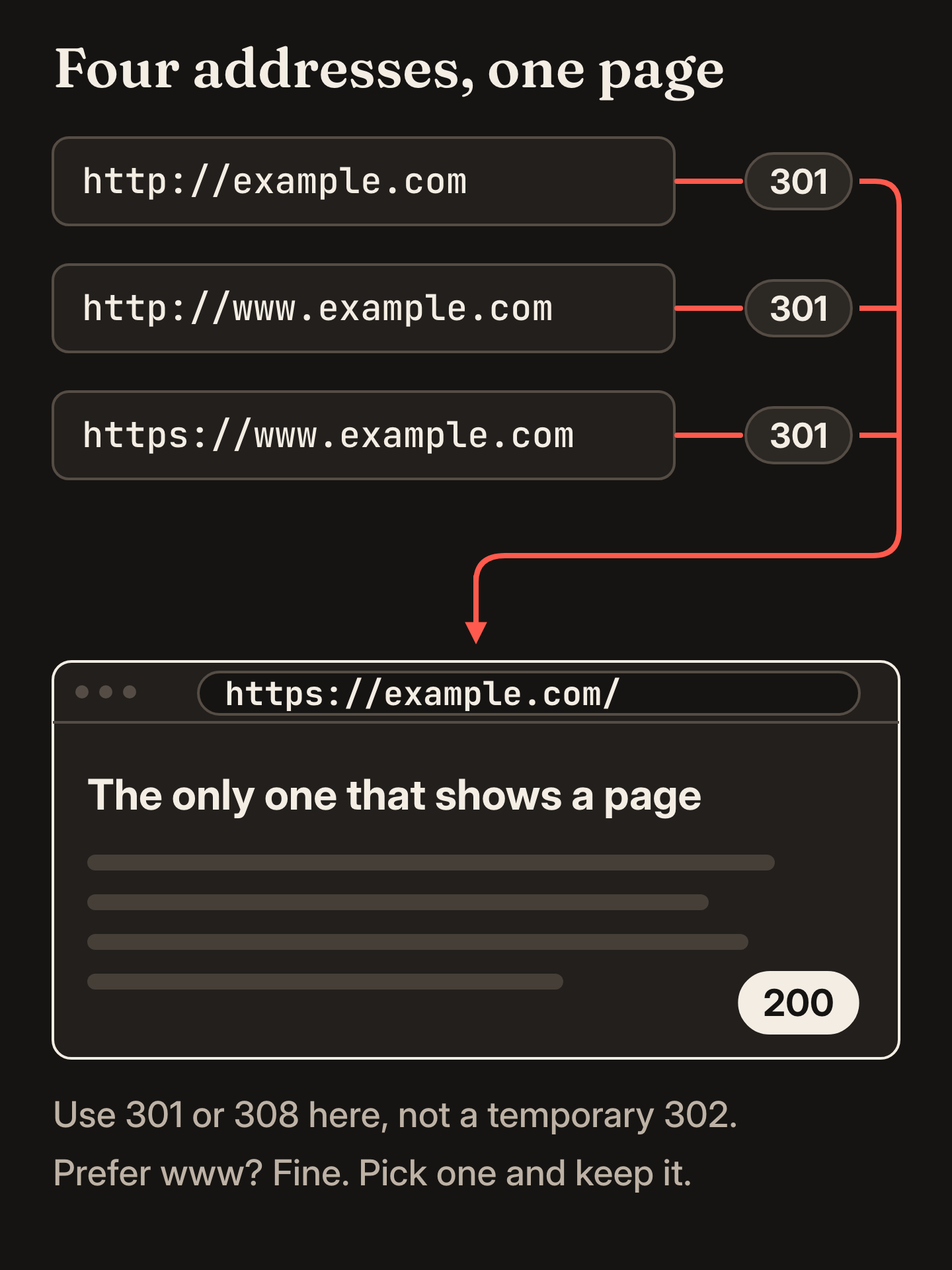
Text version
http://example.com, http://www.example.com and https://www.example.com each answer 301 to https://example.com/, the only address that answers 200. Use 301 or 308. Choosing www instead also works if you keep to one.
Google separates redirects into permanent and temporary. A permanent one tells it that the target should be the canonical address, and the target shows up in search results. A temporary one keeps the original address in results.
For this job you want permanent, so use 301 or 308. Do not use 302 or 307 here.
Google also says server-side redirects have the best chance of being read correctly. A redirect set in your server or CDN is better than a meta refresh tag or a JavaScript redirect on the page.
You can set this up in several places. Use whichever one you control.
- Your host or CDN. Many have a setting for "force https" and for "redirect www to non-www" or the reverse. This is the easiest option and the first one to look for.
- Your web server. On Apache, this block sends http and www traffic to the https version without www. We tested it on 23 Nov 2026 on Apache 2.4 (needs
mod_rewrite). Replaceexample.comwith your domain.
RewriteEngine On
RewriteCond %{HTTPS} off [OR]
RewriteCond %{HTTP_HOST} ^www\. [NC]
RewriteRule ^ https://example.com%{REQUEST_URI} [L,R=301]
In our test, a request to the http address and a request with a www host name both answered 301 with a Location of https://example.com/page, and the path was kept.
- Your CMS or plugin. WordPress, for example, takes its preferred address from the site address setting, but the server rules above are more dependable. Check your platform's documentation for its redirect setting.
If you use a CDN and your own server, set the rule in only one place. Two layers that each redirect can create a loop.
Step 3: make everything else agree
A redirect fixes the visitor's path. You also want every signal to point the same way.
- Canonical tags. The
rel="canonical"tag on each page should name the preferred address, with https and the same www choice. Our guide on canonical tags shows how to check them. - The sitemap. List only addresses on the preferred version. Google describes sitemap inclusion as a weak signal, so make it match the rest.
- Internal links. Link to the preferred address directly. Do not rely on the redirect for your own menu.
- External profiles. Update your social profiles, directory listings and email signatures to the preferred address.
When the redirect, the canonical tag, the sitemap and your links all name the same address, you have given Google a strong, consistent answer.
Common mistakes
Using a 302 instead of a 301. A temporary redirect keeps the source address in search results. If your tool or host defaults to 302, change it.
Making a chain. If http://www.example.com redirects to http://example.com, which redirects to https://example.com, visitors and crawlers take two hops where one would do. Aim for one redirect from any version straight to the final address. Our guide on redirect chains and loops shows how to find them.
A certificate that covers only one name. To redirect from the other hostname over https, the visitor's browser must first connect securely. If your certificate does not cover both example.com and www.example.com, they see a warning before the redirect happens. Make sure the certificate lists both names.
Redirecting everything to the home page. Each old address should redirect to the matching page, with the path kept, as in the Apache test above.
Forgetting a subdomain you no longer use. If an old version still answers, it can show an outdated copy of your site.
Add HSTS once you are sure
After the redirects work, you can ask browsers to remember that your site is https only. That is what the HSTS header does. Turn it on after you have tested, because it is hard to take back quickly. Our guide on the HSTS header covers it step by step.
Check that it worked
- Run the four
curlcommands again. You should see one200and three redirects to it. - Open the four addresses in a browser, including a deep page, and confirm each lands on the same final address with the path intact.
- View the page source and check that the canonical tag matches.
- Re-run the Sitewalk audit. It tests all four versions of your address.
If you change your preferred address, give search engines time. It can take weeks for results to update.
What Sitewalk found on real sites
Of 89 audited sites (latest audit, since this check went live on 4 Nov 2026), 13 (15%) answered on more than one version of the address. This is a small early-user group, a first look and not a survey.
Questions people ask
Is www or non-www better for SEO?
Neither is better. Google treats them as different addresses, so the important thing is to choose one and redirect the other to it.
Should I use a 301 or a 302 redirect for www?
Use a permanent redirect, 301 or 308. Google says permanent redirects show the target in search results, while temporary ones keep showing the source.
Do I need to redirect http to https?
Yes. Serve pages on https only, and send every http address to its https twin with a permanent redirect.
Will changing my preferred address hurt my rankings?
A clean permanent redirect plus matching canonical tags, sitemap and links tells Google the move is intended. Expect some delay while it updates results. If your site already ranks on one version, stay with it.
How do I check which versions of my site answer?
Run curl -sI on all four addresses and read the status line and Location header. You want one 200 and three redirects.
Can I set the redirect in WordPress?
Often yes, through your host or a plugin, but a rule on the server or CDN is more dependable. Set it in one place only, so two layers do not loop.
Check your whole site
Sitewalk tests all four versions of your address, along with 200+ other technical checks. In ChatGPT, say:
Audit example.com for technical SEO problems
Checked on 23 Nov 2026. Redirect and canonical guidance is from Google Search Central pages on redirects and on duplicate URLs, read on 23 Nov 2026. The four address results are from our own site on 23 Nov 2026. Sitewalk counts are from 89 audited sites, each site's latest audit since 4 Nov 2026.