Sitewalk / Guides / AI search and AI bots / llms.txt
llms.txt: what it is, how to check yours and fix it
llms.txt is a small Markdown file at example.com/llms.txt that gives AI tools a short guide to your site: what it is, and which pages to read first. It is a proposal, and no major AI tool has confirmed that it reads the file.
It costs very little to add and it is easy to get wrong. This guide shows you how to check yours in two minutes, what the five common problems look like, and how to fix each one.
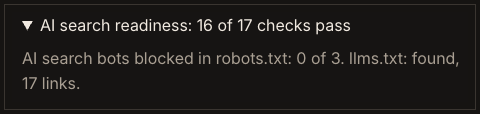
What llms.txt is and why people add it
The proposal comes from llmstxt.org. Its idea is simple: a web page is built for people, with menus, scripts and ads around the text, and an AI tool with limited space has to dig the useful part out. A short file that lists your best pages in clean text saves it that work.
The file can sit at the root of your site or at any path inside it. A file at /docs/llms.txt covers the pages under /docs/. Where more than one file applies, the most specific one is the one to use.
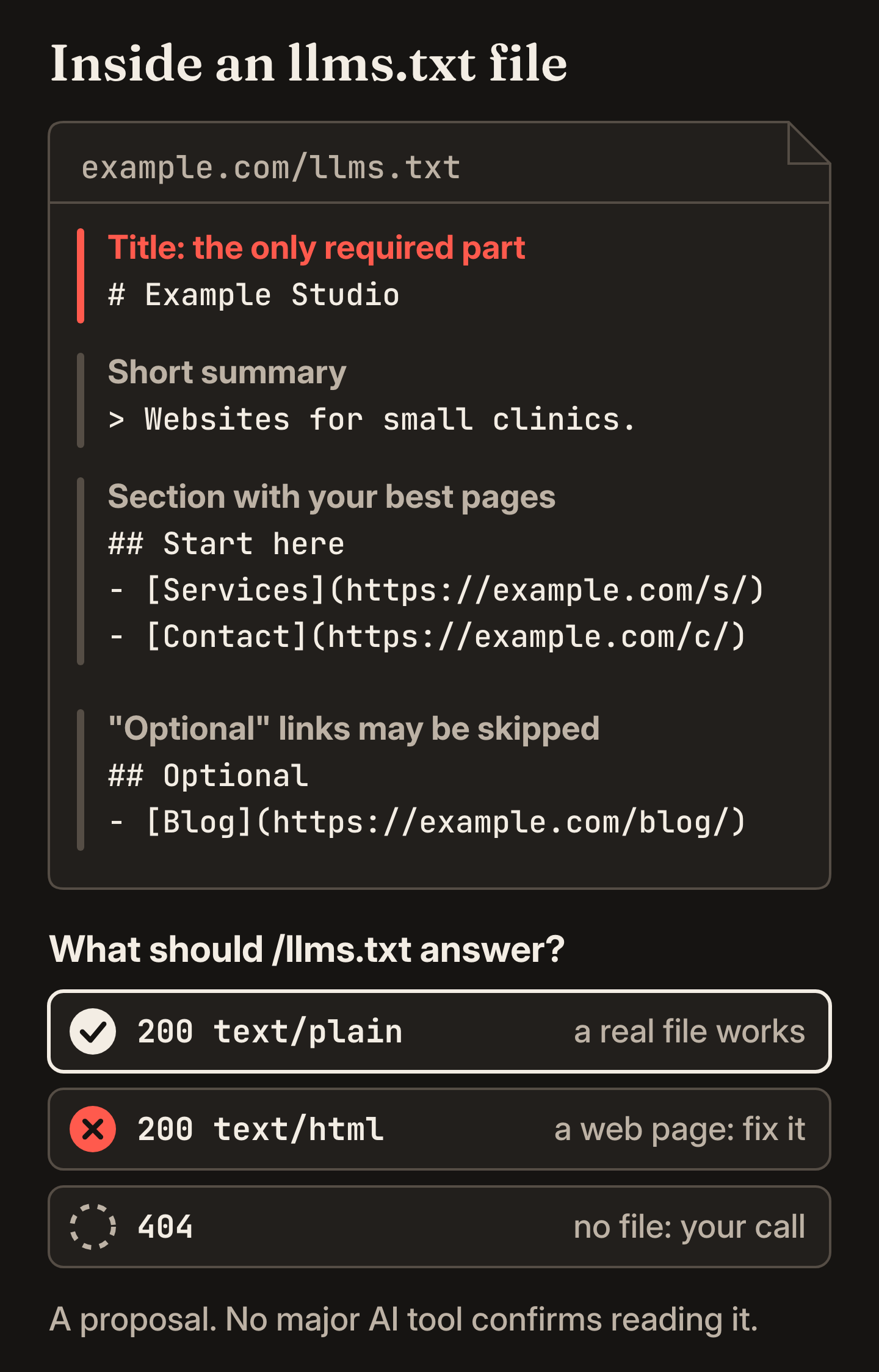
The spec has a fixed shape, in this order:
- An H1 with the name of the site. This is the only required part.
- A blockquote with a short summary.
- Optional paragraphs or lists of details. The spec says these can be anything except headings.
- Optional sections, each starting with an H2, that hold lists of links. Each link is written as
[name](url)and can be followed by a colon and a note.
A section named "Optional" holds links that an AI tool can skip when it needs a shorter read.
llms.txt does not replace robots.txt or a sitemap. The spec describes robots.txt as the file that says what automated tools may access, while llms.txt is read on demand when an agent needs information to help a user. A sitemap lists every page. llms.txt is a short, hand-picked list.
What it does not do
Rank Math calls it "currently a proposal and not an official standard" and says adoption is limited. Semrush wrote that no major AI platform has confirmed it reads or relies on llms.txt. It also reported a test on a sister site: from mid-August to late October 2025 its llms.txt file received zero visits from Google-Extended, GPTBot, PerplexityBot or ClaudeBot, and the team found no link between adding the file and AI results.
Google is the clearest. Its guide to optimizing for generative AI features lists llms.txt files under things you do not need to do. It says Google Search itself does not use them. Google's update log from 15 June 2026 adds that these files are not needed for Google Search, that they will not hurt or help your visibility or rankings, and that it is fine to keep one for other services that use them.
Chrome's Lighthouse does have an llms.txt audit. Its documentation calls the file an "emerging convention". A server error on the file gets flagged. A 404 is marked Not Applicable, because the file is optional at the moment.
A good llms.txt is a cheap extra, and a broken one is a small mess.
Sitewalk reports the missing file so you can decide. It cannot tell you which AI systems read it. If you want to work on how AI tools quote your pages, the headings on the pages themselves are a better place to start. Our guide on question-style headings covers that.
How to check yours
Run this and replace example.com with your domain.
curl -sI https://example.com/llms.txt
You want a 200 and a content type of text/plain or text/markdown. A text/html type means the server is answering with a web page.
Then look inside the file. This small script checks the status, the first line, and every link in the file. Save it as check-llms.sh and run bash check-llms.sh https://example.com/llms.txt.
url="$1"
curl -s -o /tmp/llms-check.txt -w 'status %{http_code}, type %{content_type}\n' "$url"
echo "first line: $(head -n 1 /tmp/llms-check.txt | cut -c1-60)"
grep -o '](https\?://[^)]*)' /tmp/llms-check.txt | sed 's/^](//; s/)$//' | while read -r l; do
  echo "$(curl -s -o /dev/null -w '%{http_code}' "$l") $l"
done
We ran it on our own file on 23 Nov 2026. The file answered status 200, type text/plain, the first line was an H1 with the site name, and all 18 links in it returned 200. We also ran it on an address that does not exist on our site and got status 404, type text/html, with the first line <!doctype html>. That is what a missing file looks like.
The 5 problems
| What you see | The problem | Sitewalk issue |
|---|---|---|
| A 404 | There is no file | No llms.txt File |
| A 200 with an HTML page, often your app shell or your 404 page | The address answers, but with a web page | llms.txt Returns A Web Page |
| A 200 and a blank page | The file exists and has nothing in it | llms.txt Is Empty |
Text with no # title line, or no links | The format does not match the spec | llms.txt Format Problem |
| Links in the file that return 404 or other errors | The file points to dead pages | llms.txt Links To Broken Pages |
How to fix each one
Text version
An example llms.txt file: a title line (the only required part), a short summary, a section of best pages and an Optional section. A 200 text/plain answer is a working file, 200 text/html is a web page to fix, and 404 means no file. llms.txt is a proposal that no major AI tool has confirmed reading.
No file, empty file or wrong format. Create a plain text file named llms.txt in your site root. Use this shape and swap in your own pages.
# Example Studio

> Example Studio builds and maintains websites for small clinics. This file lists the pages that explain what we do.

## Start here

- [Services](https://example.com/services/): what we build and who it is for
- [Case studies](https://example.com/case-studies/): three finished clinic sites with results
- [Contact](https://example.com/contact/): how to book a call

## Optional

- [Blog](https://example.com/blog/): longer guides
Only the title line is required. Keep the file short. List your ten best pages, not every page, and write one plain line about each. The spec's own advice is to use concise, clear language and to avoid jargon nobody has explained.
The spec also gives a test I like: ask an AI tool questions about your business while giving it only your llms.txt as a starting point. If it cannot find the answer, your file is missing a page.
Returns a web page. Your server answers the address with HTML instead of a file. The usual cause is a catch-all rule that sends any unknown address to your app or your 404 page. There are two fixes. Upload a real file, or tell the rule to leave that address alone so it returns a true 404.
Here is the second fix on Apache. We tested it on Apache 2.4.67 on 23 Nov 2026, with mod_rewrite on, and a front controller that sends unknown paths to app.html.
RewriteEngine On
RewriteCond %{REQUEST_FILENAME} !-f
RewriteCond %{REQUEST_URI} !^/llms\.txt$
RewriteRule ^ /app.html [L]
Without the middle line, a request for a missing /llms.txt came back 200 text/html. With it, the same request came back 404. With a real file in the folder, the address returned 200 text/plain either way.
If you run another server or a hosting platform, look for the same kind of fallback rule and add an exception for /llms.txt. We did not test other servers here.
Links to broken pages. Run the script above. Fix the address or remove the line for every link that does not return 200. Our guide on broken external links covers the same check for links on your pages.
WordPress. Yoast SEO says it can generate an llms.txt file with a click and lets you preview it before publishing. Rank Math has an LLMS Txt module under its dashboard.
Two details from the Rank Math guide matter. The file is empty until you choose the post types to include, and posts set to noindex are left out. If Sitewalk reports an empty file on a Rank Math site, that is the first place to look.
Preview the generated file before you leave it on. The plugin picks pages by type, so check that the ones it lists are the ones you would want read first.
Common mistakes
- Listing every page. A file with 500 links is a sitemap. Pick the pages that explain your business.
- Putting a heading inside the details block. The spec allows headings only as H2 section titles for link lists, not inside the optional details.
- Pointing to pages that redirect or error. Test every link.
- Pointing to pages you have set to noindex. You are sending readers to pages you hide from search.
- Forgetting it. Pages move. Re-run the script when you change your site structure.
- Blocking everything else in robots.txt and expecting the file to help. The two files do different jobs. See our guide on AI crawlers and robots.txt for who can read your site in the first place.
Check it worked
- Run
curl -sI https://example.com/llms.txtand confirm200and a text content type. - Run the script and confirm the first line is your H1 and every link returns 200.
- Open the file in a browser and read it once as a stranger would.
- Re-run the Sitewalk audit.
What Sitewalk found on real sites
Counted on 23 Nov 2026, from the latest audit of each site.
We counted the latest audit of each site audited since the llms.txt checks went live on 4 Nov 2026. Of 89 sites:
- 42 (47%) had no llms.txt.
- 9 had a format problem.
- 6 returned a web page instead of the file.
- 0 had an empty file, and 0 had broken links in the file.
This is a small early-user group, a first look and not a survey.
Questions people ask
What is llms.txt?
A Markdown file at /llms.txt that gives AI tools a short, curated guide to your site. It starts with an H1, can have a short summary, and lists your best pages under H2 headings.
Does ChatGPT read llms.txt?
We found no source that confirms it. OpenAI publishes an llms.txt for its own developer docs, which shows the format is in use. It does not tell us what ChatGPT does with files on other sites. For ChatGPT search, the robots.txt rules for its crawlers matter more, and we cover those in the AI crawlers guide.
Does Google use llms.txt?
No, and Google says so directly. Its guide to generative AI features says you do not need llms.txt or other special files to appear in Google Search, because Search does not use them. Lighthouse audits for the file, but Lighthouse is a testing tool.
Is llms.txt the same as robots.txt?
No. robots.txt says what crawlers may access. llms.txt is a guide that an AI tool can read when it needs to understand your site. Neither one replaces a sitemap.
Do I need llms.txt for SEO?
Google says the file will not help or hurt your visibility or rankings in Google Search. Add one if you want a tidy summary for other tools, and keep your effort on the pages themselves.
Where do I put llms.txt?
At the root, so that https://example.com/llms.txt loads. The spec also allows a file at a subpath such as /docs/llms.txt that covers the pages under it.
Check your whole site in one sentence
Sitewalk checks llms.txt along with your AI crawler rules and 200+ other technical SEO checks. In ChatGPT, say:
Audit example.com for technical SEO problems
Checked on 23 Nov 2026. Sources, all read on 23 Nov 2026: llmstxt.org, Chrome Lighthouse llms.txt audit, Google: optimizing for generative AI features, Google Search updates, Yoast SEO llms.txt, Rank Math llms.txt guide, Semrush: what is llms.txt. Counts are from 89 audited sites, each site's latest audit since the checks went live on 4 Nov 2026, counted on 23 Nov 2026: a small early-user group, a first look and not a survey.