Sitewalk / Guides / AI search and AI bots / SEO headings
SEO headings: when question headings help, and how
A question-style heading is a subheading written as the question a reader came with, such as "How long does a clinic website take?", with the answer in the first sentence under it. Use them on pages where people arrive with a question, and leave plain labels everywhere else.
This guide shows how to count the question headings on your pages, which ones are worth rewriting, and what Google says about writing headings for AI answers. The honest summary is that this is a readability technique with a cheap test. It is not a ranking trick.
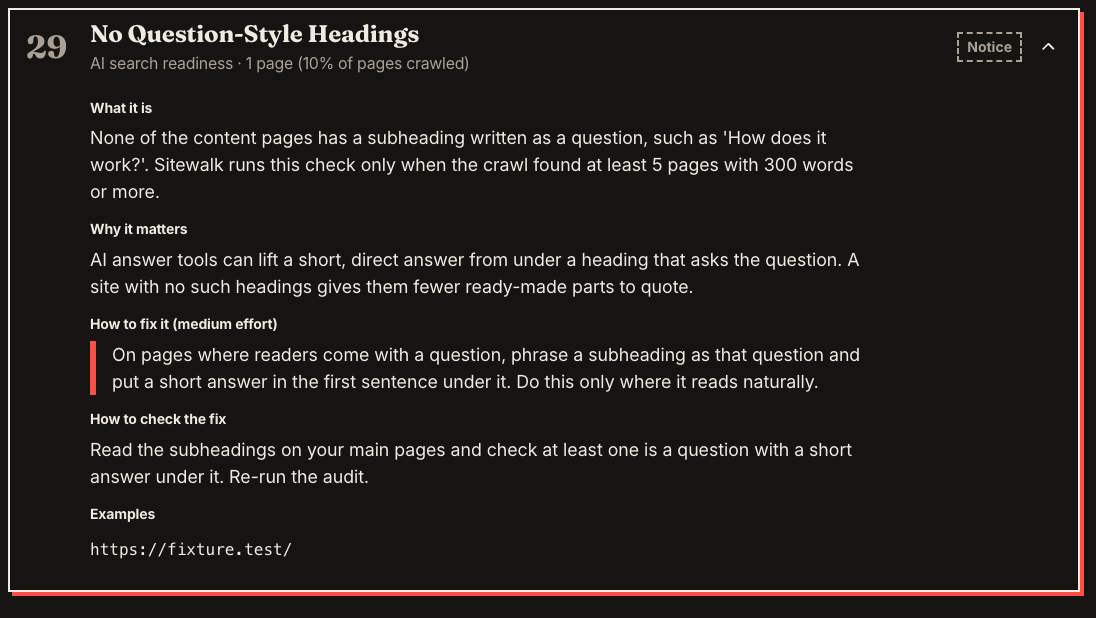
What a question heading is, and why people add them
Most subheadings are labels: "Our process", "Features", "Case studies". A label tells the reader what the section is about. A question heading tells them what the section answers.
The idea behind them is simple. People often search with a question. If a section's heading is that question and the next sentence answers it, the reader gets what they came for without scanning a long page.
Answer tools that quote pages can also find a clean question and answer pair more easily. That second part is a reasoning, and we found no published source that says AI tools prefer question headings.
Sitewalk reports the absence of question headings as a low-effort check. It cannot tell you which AI tools quote your page.
What Google says
Google's guide to optimizing for generative AI features is direct about this. These are the points that apply to headings.
| Topic | What Google's pages say |
|---|---|
| Organizing content | People generally appreciate pages organized by paragraphs and sections, with headings that provide a clear structure to navigate content |
| Chunking | There is no requirement to break content into tiny pieces for AI to understand it. Google systems can understand multiple topics on a page and show the relevant piece |
| Writing just for AI | You do not need to write in a specific way just for generative AI search |
| Heading order | Semantic order is fantastic for screen readers, but from a Google Search perspective it does not matter if headings are out of order |
| Number of headings | There is no ideal number of headings for a page. If you think it is too many, it probably is |
So the case for question headings is about readers. Use them where they make a page easier to use.
Google also says that making separate content for every variation of a search, mainly to manipulate results, violates its scaled content abuse policy. One question heading per real question on a real page is far from that. Dozens of near copies of a page, each with a different question, is the pattern to avoid.
On the HTML side, W3C's tutorial says headings should be nested by rank and that skipping ranks, such as an h2 followed directly by an h4, can be confusing and should be avoided where possible.
How to check yours
Read the subheadings on your five most visited pages. Count the ones that end with a question mark, and check that the first sentence under each one answers it.
For a faster count, this script lists the headings on a page, how many words sit under each, and which ones end in a question mark. Save it as headings.py.
import sys
from html.parser import HTMLParser

class P(HTMLParser):
    def __init__(self):
        super().__init__()
        self.items = []; self.cur = None; self.skip = 0
    def handle_starttag(self, tag, attrs):
        if tag in ("script", "style", "nav", "footer", "header"): self.skip += 1
        if tag in ("h1", "h2", "h3", "h4") and not self.skip:
            self.items.append([tag, "", 0]); self.cur = self.items[-1]
    def handle_endtag(self, tag):
        if tag in ("script", "style", "nav", "footer", "header") and self.skip: self.skip -= 1
        if tag in ("h1", "h2", "h3", "h4"): self.cur = None
    def handle_data(self, data):
        if self.skip: return
        if self.cur is not None: self.cur[1] += data
        elif self.items: self.items[-1][2] += len(data.split())

p = P(); p.feed(sys.stdin.read())
q = 0
for tag, text, n in p.items:
    text = " ".join(text.split())
    isq = text.endswith("?")
    q += isq
    print(f"{tag} {'Q' if isq else '-'} {n:4d} words  {text[:70]}")
print(f"{len(p.items)} headings, {q} question style")
Run it on any page.
curl -s https://example.com/services/ | python3 headings.py
Here is the output on a small test page we wrote, with two label headings and two question headings.
h1 -    0 words  Web design for clinics
h2 -   11 words  Our process
h2 Q   19 words  How long does a clinic website take?
h2 Q   14 words  What do you need from us?
h2 -    4 words  Case studies
5 headings, 2 question style
We ran the same script on two guide pages on our own site on 23 Nov 2026. They had 15 and 12 headings, and none ended with a question mark. Our home page had 55 headings and none did.
That is a useful reminder that a page can be good and still have no question headings. A home page may not need any.
The word counts help with a second problem. A heading with several hundred words under it is a long stretch for a reader to scan. Split it with subheadings that name what each part covers.
The script counts a question mark at the end of a heading. It does not judge whether the answer under it is good. Sitewalk's own rule may differ in detail.
Which headings to turn into questions
Not every heading should be a question. This table is how I would sort them.
| Heading today | Make it a question? | Why |
|---|---|---|
| Costs, Fees, Plans | Yes, if people ask about it often | "How much does a site cost?" is the question they typed |
| About our process | Often | "How long does it take?" answers the real worry |
| Features | Rarely | A list of features is a reference, not an answer |
| Step 1, Step 2 | No | Numbered steps read better as steps |
| Case studies | No | A label is clear and short |
| Comparison tables | No | The table is the answer |
| Contact | No | A label is what people look for |
| A long section on one topic with no subheadings | Split it first | Name each part by what it answers |
Good places to start are pages where readers come with a question: help pages, product pages, service pages, guides and cost explanations.
How to write one
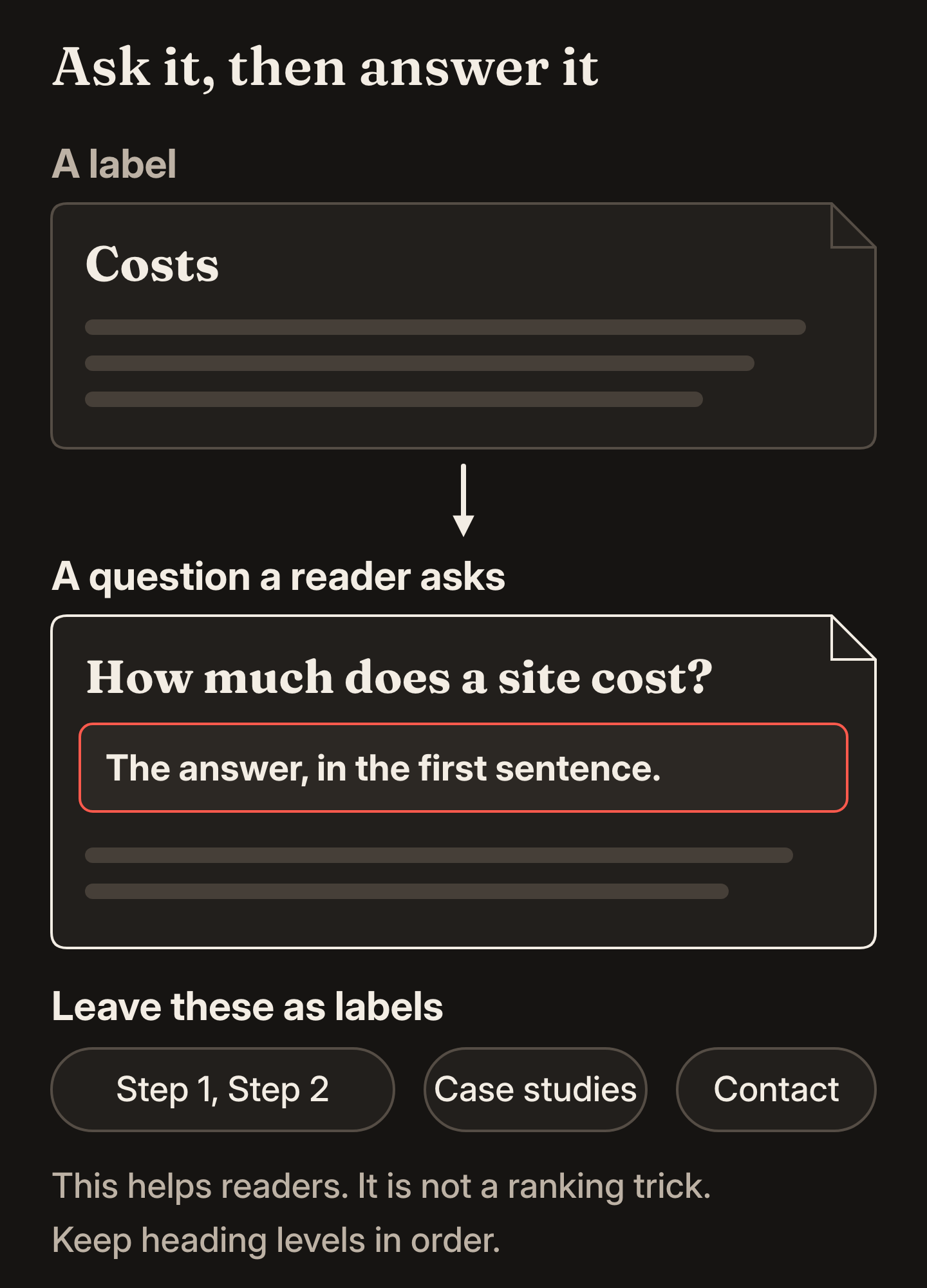
Text version
The label heading Costs becomes the question How much does a site cost?, answered in the first sentence. Step numbers, Case studies and Contact stay as labels. This helps readers and is not a ranking trick.
- Pick a question a real person asks. Your support inbox, your sales calls and your Search Console queries show the words people use. Write the heading in those words.
- Answer in the first sentence. One or two plain sentences directly under the heading. Details come after.
- Keep the answer self-contained. A sentence that begins "As mentioned above" does not work when someone reads only that section.
- Use real numbers or say unknown. "Most clinic sites take six weeks" is useful if it is true for you. If it depends, say what it depends on.
- Stay natural. If a heading reads badly as a question, keep it as a label.
Here is a before and after. The numbers are made up for the example.
Before
## Our process
We start with a call, then we plan, then we build.

After
## How long does a clinic website take?
Most clinic sites take six weeks from first call to launch. Larger sites with booking take eight to ten.
The after version names the question, gives the number first and leaves the story for the next paragraph.
Common mistakes
- Turning every heading into a question. A page of ten questions reads like a form. Use a few, where they belong.
- A question with no answer in the first sentence. The heading promises something the next line does not deliver.
- Writing for a tool, not a person. Google's guide says you do not need to write in a specific way just for generative AI search. Write for the reader.
- Copying one question across many pages. Dozens of near copies are the pattern Google's scaled content abuse policy describes.
- Skipping heading levels. An
h2followed by anh4is the W3C's example of what to avoid. - Using the heading tag for styling. Use a heading only when the text is a heading.
- Adding FAQ markup for it. Google no longer shows the FAQ rich result. Our guide on FAQ schema explains what to do with the markup. The visible question and answer pair is what helps readers.
Check it worked
- Run the script on your five main pages and read the Q column.
- Read the first sentence under each question and confirm it answers the question.
- Make sure no section has several hundred words with no subheading.
- Confirm heading levels step down one at a time.
- Re-run the Sitewalk audit.
If a page is short on real content, headings will not fix it. See our guide on thin content for that problem, and the guide on title and meta description length for the other text that shows in results.
What Sitewalk found on real sites
Counted on 23 Nov 2026, from the latest audit of each site.
Sitewalk flags this only on sites with at least 5 content pages of 300 words or more. Of 89 audited sites, using each site's latest audit since the check went live on 4 Nov 2026, 9 (10.1%) were flagged for having no question-style heading. 68 of the 89 sites had at least 5 such pages and could be flagged, so among those 68 the share is 13.2%. 3 (3.4%) had a long page with no subheadings. Two related heading checks ran on a larger group. Of 98 sites audited since 2 Nov 2026, 53 (54.1%) skipped a heading level somewhere, and 29 (29.6%) had an empty heading. These are small early-user groups, a first look and not a survey.
Questions people ask
What are question headings?
Subheadings written as the question a reader came with, with a short answer directly under them. "How long does it take?" is a question heading. "Our process" is a label.
Do question headings help SEO?
We found no Google statement that they affect rankings. Google says headings that give a clear structure help people navigate, and that you do not need to write in a specific way for generative AI search. They help readers, and that is the reason to use them.
Do AI tools quote question headings?
We found no published source that says so. The reasoning is that a clean question and answer pair is easy to lift, but Sitewalk cannot tell you which tools quote your page.
How many question headings should a page have?
Use as many as there are real questions on that page. Google says there is no ideal number of headings for a page, and that if you think it is too many, it probably is.
Should my H1 be a question?
The H1 names the page. It can be a question if the whole page answers one, such as a help article. Most pages are better with a plain H1 and question headings below it.
Do I need FAQ schema for question headings?
No. Question headings are visible text. FAQ markup is a hidden data block that Google no longer uses for a rich result.
Check your whole site in one sentence
Sitewalk checks your headings on every page it crawls, with 200+ other technical checks. In ChatGPT, say:
Audit example.com for technical SEO problems
Checked on 23 Nov 2026. Sources, all read on 23 Nov 2026: Google: optimizing for generative AI features, Google SEO starter guide, W3C WAI: headings. Counts are from 89 audited sites (98 for the related heading checks), each site's latest audit, counted on 23 Nov 2026: a small early-user group, a first look and not a survey.
More guides
- llms.txt: what it is, how to check yours and fix it
- AI crawlers and robots.txt: what to allow and block
- Article schema: add dates, author, headline and image
- JavaScript SEO: when a page needs JS to show its text
- Content Security Policy header: check it and add one
- HSTS header: check it and set max-age to one year