Sitewalk / Guides / AI search and AI bots / Article schema
Article schema: add dates, author, headline and image
Article schema is a block of JSON-LD in your page that says what the article is, who wrote it, and when it was published and last changed. Google lists datePublished, dateModified, author, headline and image as recommended properties, and none of them is required.
This guide shows how to check a page with a short script, what each property needs, and the date and author rules that Google spells out.
What Article schema is and what Google says about it
Google's documentation says Article structured data can help it understand a page and show better title text, images and date information in search results. It covers three schema.org types: Article, NewsArticle and BlogPosting.
It also says there are no required properties. You add the recommended ones that apply to your page. Leaving them out will not break anything, and the Rich Results Test does not warn about a missing date, because dates are only recommended.
Sitewalk flags them because each one is cheap to add, and together they tell a reader or a crawler who wrote the page and how old it is. We did not find a statement from an AI search provider about how it uses these properties, so we make no claim about AI answers or rankings.
A separate Sitewalk check, "Content Page Without Article Markup", flags a long text page that has no Article markup at all.
The five properties
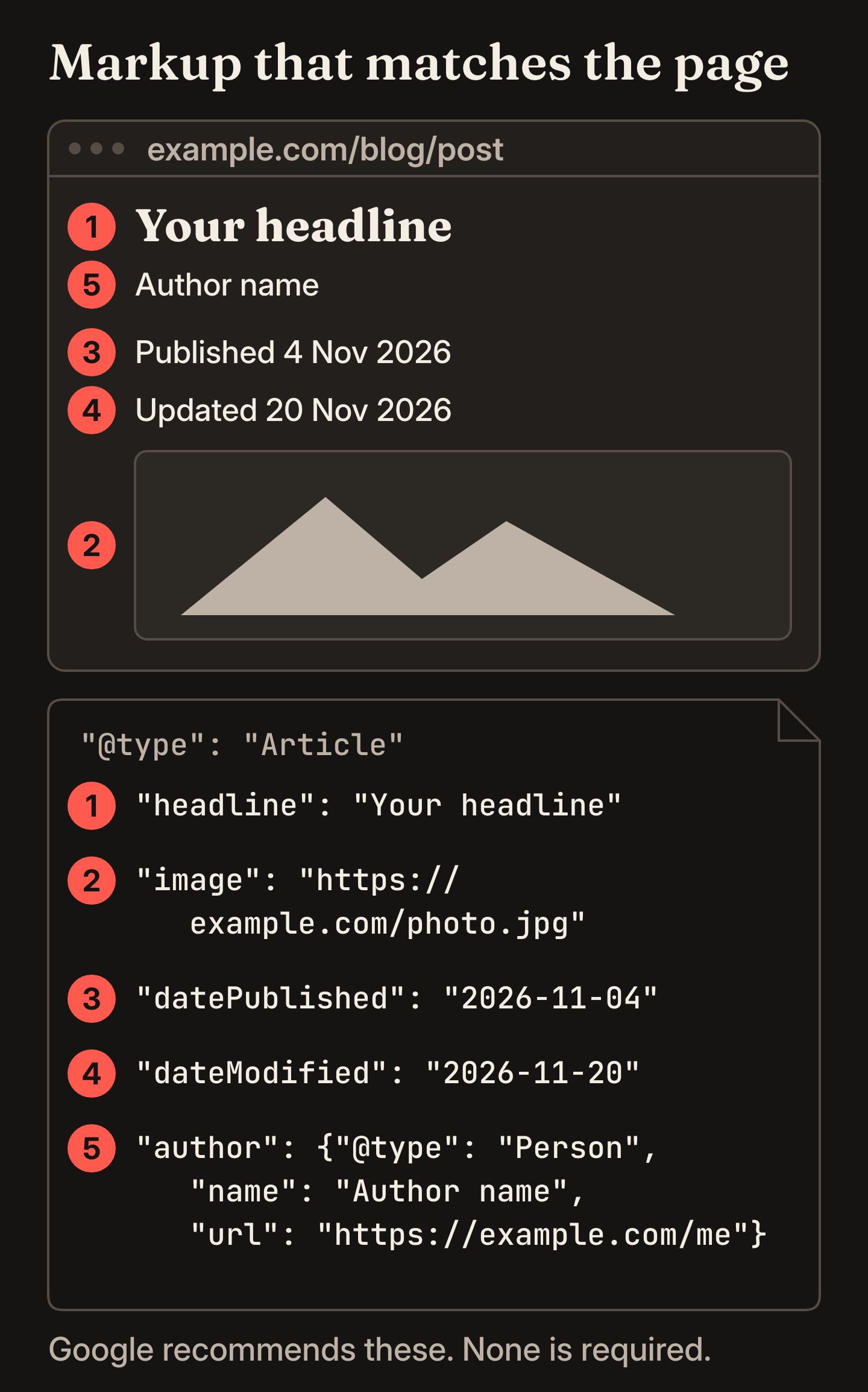
Text version
Five Article properties matched to a page: headline, image, datePublished, dateModified and author, shown with example values. Dates match the ones on the page. Google recommends these properties and requires none.
| Property | What Google says | Common gap |
|---|---|---|
headline | The title of the article. Keep it concise, because long titles may be truncated on some devices | Empty, or a different title from the page |
image | A crawlable URL of an image that represents the article, not a logo | Missing, or a logo, or blocked from crawlers |
datePublished | When the article was first published, in ISO 8601 | Missing |
dateModified | When it was most recently changed, in ISO 8601 | Missing. This is the one Sitewalk sees most |
author | The author, ideally with @type, name and url | Missing, or a name stuffed with extra words |
Google adds a note on images. Provide several high resolution versions if you can, with aspect ratios of 16x9, 4x3 and 1x1. Each should have at least 50,000 pixels when you multiply width by height. Use images that are relevant to the article.
How to check one page
You can read the markup by hand: view the page source, search for application/ld+json, and find the block with the @type of Article, NewsArticle or BlogPosting. Some sites wrap their blocks in a @graph list, so look inside that too.
A script is faster. Save this as check.py. It reads a page from standard input, finds the Article block and says which of the five properties are present.
import sys, re, json
html = sys.stdin.read()
found = False
for block in re.findall(r'<script[^>]*ld\+json[^>]*>(.*?)</script>', html, re.S):
    data = json.loads(block)
    items = data if isinstance(data, list) else data.get("@graph", [data])
    for item in items:
        if item.get("@type") in ("Article", "NewsArticle", "BlogPosting"):
            found = True
            print("type:", item["@type"])
            for key in ("headline", "image", "datePublished", "dateModified", "author"):
                print(" ", key, "ok" if item.get(key) else "MISSING")
if not found:
    print("No Article, NewsArticle or BlogPosting block found")
Then run it against a page. Replace the address with one of yours.
curl -s https://example.com/blog/my-post/ | python3 check.py
We ran it against one of our own guide pages on 23 Nov 2026. All five came back ok.
We also ran it on a test page that had only a headline and a publish date. It listed image, dateModified and author as MISSING. A page with no Article block prints the last line of the script.
The script reads the markup the server sends. If your site builds its markup with JavaScript after the page loads, the script will not see it. Use the Rich Results Test or the URL Inspection tool, which Google's documentation points to, to see what Google sees.
How to add the markup
Here is a complete Article block with all five properties. We parsed it with a JSON parser and ran the script above on it on 23 Nov 2026, and every property came back ok.
<script type="application/ld+json">
{
  "@context": "https://schema.org",
  "@type": "BlogPosting",
  "headline": "How we cut our page weight in half",
  "image": [
    "https://example.com/photos/1x1/cover.jpg",
    "https://example.com/photos/4x3/cover.jpg",
    "https://example.com/photos/16x9/cover.jpg"
  ],
  "datePublished": "2026-11-04T09:00:00+00:00",
  "dateModified": "2026-11-16T10:30:00+00:00",
  "author": [{
    "@type": "Person",
    "name": "Jane Doe",
    "url": "https://example.com/authors/jane-doe/"
  }]
}
</script>
Put it in the <head> or the <body> of the page. Most content management systems and SEO plugins can generate it from the post. If yours does, open its schema settings for posts and check that the author and image fields are filled in, then run the script on a live post to confirm what it prints. If you add it by hand, put it in your post template and fill in the values from the post.
Rules for the dates
Google's documentation on byline dates gives clear rules. These are the ones that matter for markup.
| Rule | In practice |
|---|---|
| Use ISO 8601 | 2026-11-04T09:00:00+00:00 or 2026-11-04 |
| Add the time zone | Google recommends it. Without one, it uses the time zone of Googlebot |
| Match the visible date | The date in the markup should match the date shown on the page |
| No future dates | The date must describe the page, not an event the page talks about |
| Use the page's own dates | Not the date of a story or event the article covers |
The byline page also says the date is required but the time is not, though it recommends a time and time zone in markup for precision. It says Google looks at several factors to decide when a page was published or significantly updated, and that it does not depend on one date alone.
For dateModified, change it when the content changes in a real way. A fixed typo is not a reason. Setting it to today's date on every edit gives readers and crawlers a false picture of how fresh the page is.
Show the date on the page too
Google asks for a date that visitors can see, and gives examples of labels to use: "Posted", "Published" or "Last updated", followed by the date. Put it near the top of the article.
If incorrect dates are being picked up, Google suggests removing some of the other dates on the page, so keep stray dates such as "copyright 2020" away from the article text.
Author rules from Google
Google gives a short list for authors, and the common mistakes are all on it.
- List every author shown on the page. Each one gets its own object.
- Do not merge authors into one name.
"Willow Lane, Regula Felix"in one field is wrong. - Only the name goes in
name. No "posted by", no job title, no honorific. UsejobTitlefor a title. - Use the right type.
Personfor a person,Organizationfor an organization. - Add a
urlorsameAs. Google strongly recommends it. For a person, link to an author page. For an organization, link to its home page.
Our own guide pages use an Organization author named Sitewalk, with the Sitewalk home page as its url. That is allowed by Google's rules. A named person with an author page gives a reader more to check.
Our own pages also carry a datePublished and a dateModified as dates with no time or zone, for example 2026-11-16. Google says the time is optional, so they are valid. Adding a time and zone would follow its recommendation more closely.
Common mistakes
Marking up the wrong kind of page. Google describes Article markup for news, blog and sports article pages. A product page or a home page is not an article.
A date in the markup that differs from the date on the page. Make them match.
A dateModified that is earlier than datePublished. It happens when a template fills the two fields from different sources.
A logo as the image. Google says to use an image that is relevant to the article, not a logo.
An image on a blocked address. Google says image URLs must be crawlable and indexable. A file behind a login or blocked by robots.txt fails that.
Blank values. A block with "author": "" looks present to a human. The script treats an empty value as missing.
Several authors in one string. Split them into separate objects.
Check it worked
- View the source of the live page and find the block, or run
check.pyagain. - Confirm all five properties print
ok. - Test the page in Google's Rich Results Test. Google's documentation says to fix critical errors, and also suggests fixing non-critical issues the tool shows.
- Use the URL Inspection tool to see how Google sees the page, and make sure the page is not blocked by
robots.txt, anoindextag or a login. - Run the Sitewalk audit.
Related guides
Article markup sits with other structured data and page signals. See FAQ schema and what changed, question style headings and canonical tags. Google also says that for multi-part articles, the canonical tag should point at each individual page or at a view-all page, and not at page 1.
What Sitewalk found on real sites
Counted on 23 Nov 2026, from the latest audit of each site.
Of 89 audited sites, counting the latest audit of each since the checks went live on 4 Nov 2026:
- 20 sites (22.5%) had Article markup with no modified date.
- 19 sites (21.3%) had Article markup with no headline or no image.
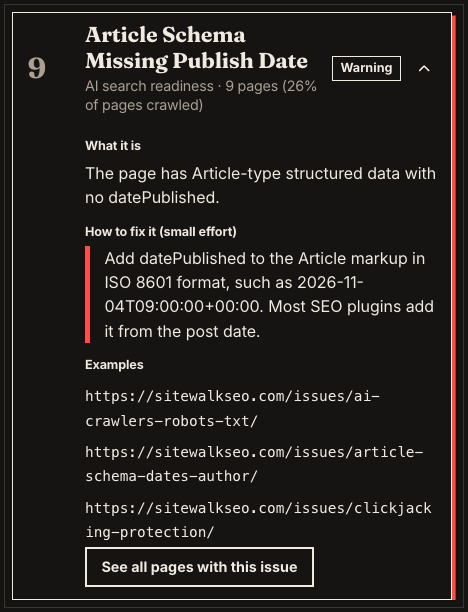
- 7 sites (7.9%) had Article markup with no publish date.
- 0 sites had Article markup with no author.
- 4 sites (4.5%) had a content page with no Article markup.
The modified date is the one most often missing. This is a small early-user group, a first look and not a survey.
Questions people ask
Which properties does Google require for Article schema?
None. Google's documentation says there are no required properties and lists author, dateModified, datePublished, headline and image as recommended. You add the ones that apply.
What is the difference between datePublished and dateModified?
datePublished is when the article first went live. dateModified is when it was last changed. Change dateModified only for real updates.
What format should the dates be in?
ISO 8601. Add a time zone if you can. Google says it falls back to the time zone of Googlebot when none is given.
Should the author be a person or an organization?
Either is allowed, as long as the type matches. Use Person for a person and Organization for a company or team. Add a url so the author can be identified.
Does the date in my markup have to match the date on the page?
Yes. Google's byline date guidance says to keep the structured and visible values consistent.
Which schema type should I use for a blog post?
BlogPosting, Article and NewsArticle are the three types Google's documentation names. BlogPosting fits a normal blog post.
Check your whole site in one sentence
Sitewalk checks the markup on every page it crawls, along with 200+ other technical SEO checks. In ChatGPT, say:
Audit example.com for technical SEO problems
Checked on 23 Nov 2026. Property and author rules are from Google Search Central's Article structured data page and its page on byline dates, both read on 23 Nov 2026. Sitewalk counts are from 89 audited sites, each site's latest audit since the checks went live on 4 Nov 2026: a small early-user group, a first look and not a survey.